Code
sum(c(1, 2, 3, 4, 5)) / length(c(1, 2, 3, 4, 5))[1] 3This appendix provides a comprehensive quick reference for Quarto Markdown syntax and features used throughout this book.
Quarto is an open-source scientific and technical publishing system built on Pandoc. It allows you to:
Quarto documents use the .qmd file extension and combine Markdown for text, code chunks for analysis, and YAML for configuration.
| Syntax | Result | Usage |
|---|---|---|
# Header 1 |
Largest heading | Chapter/section title |
## Header 2 |
Second level | Major section |
### Header 3 |
Third level | Subsection |
#### Header 4 |
Fourth level | Sub-subsection |
##### Header 5 |
Fifth level | Rarely used |
###### Header 6 |
Smallest heading | Rarely used |
Headers can include section labels for cross-referencing:
## Methods {#sec-methods}| Syntax | Result | Description |
|---|---|---|
*italic* or _italic_ |
italic | Emphasized text |
**bold** or __bold__ |
bold | Strong emphasis |
***bold italic*** |
bold italic | Both bold and italic |
~~strikethrough~~ |
Deleted text | |
superscript^2^ |
superscript2 | Superscript |
subscript~2~ |
subscript2 | Subscript |
`code` |
code |
Inline code |
Unordered Lists:
- Item 1
- Item 2
  - Nested item 2a
  - Nested item 2b
- Item 3
Ordered Lists:
1. First item
2. Second item
   a. Nested item
   b. Another nested item
3. Third item
Task Lists:
- [ ] Incomplete task
- [x] Completed task| Syntax | Result | Description |
|---|---|---|
[text](url) |
text | Hyperlink |
[text](url "title") |
text | Link with title |
<url> |
Automatic link | |
 |
Image | Embedded image |
 |
Image | Image with title |
Example:
Visit the [Quarto website](https://quarto.org) for documentation.
> This is a blockquote.
> It can span multiple lines.
>
> And multiple paragraphs.
Result: > This is a blockquote. > It can span multiple lines.
Inline Code:
Use the `mean()` function to calculate averages.Code Blocks:
```
Plain code block without syntax highlighting
```

```r
# R code with syntax highlighting
x <- c(1, 2, 3, 4, 5)
mean(x)
```

```python
# Python code with syntax highlighting
import numpy as np
x = np.array([1, 2, 3, 4, 5])
np.mean(x)
```Every Quarto document begins with a YAML header enclosed in ---:
---
title: "My Analysis"
author: "Your Name"
date: "2024-01-15"
format:
  html:
    toc: true
    code-fold: true
    theme: cosmo
  pdf:
    documentclass: article
    geometry: margin=1in
execute:
  echo: true
  warning: false
  message: false
bibliography: references.bib
---
Common YAML Options:
| Option | Description | Example |
|---|---|---|
title |
Document title | "My Report" |
author |
Author name(s) | "Jane Doe" |
date |
Document date | today or "2024-01-15" |
format |
Output format(s) | html, pdf, docx |
toc |
Table of contents | true or false |
number-sections |
Number sections | true or false |
bibliography |
Bibliography file | references.bib |
execute |
Global execution options | See below |
Code chunks in Quarto use #| (hashpipe) notation for options:
::: {.cell}
::: {.cell-output-display}
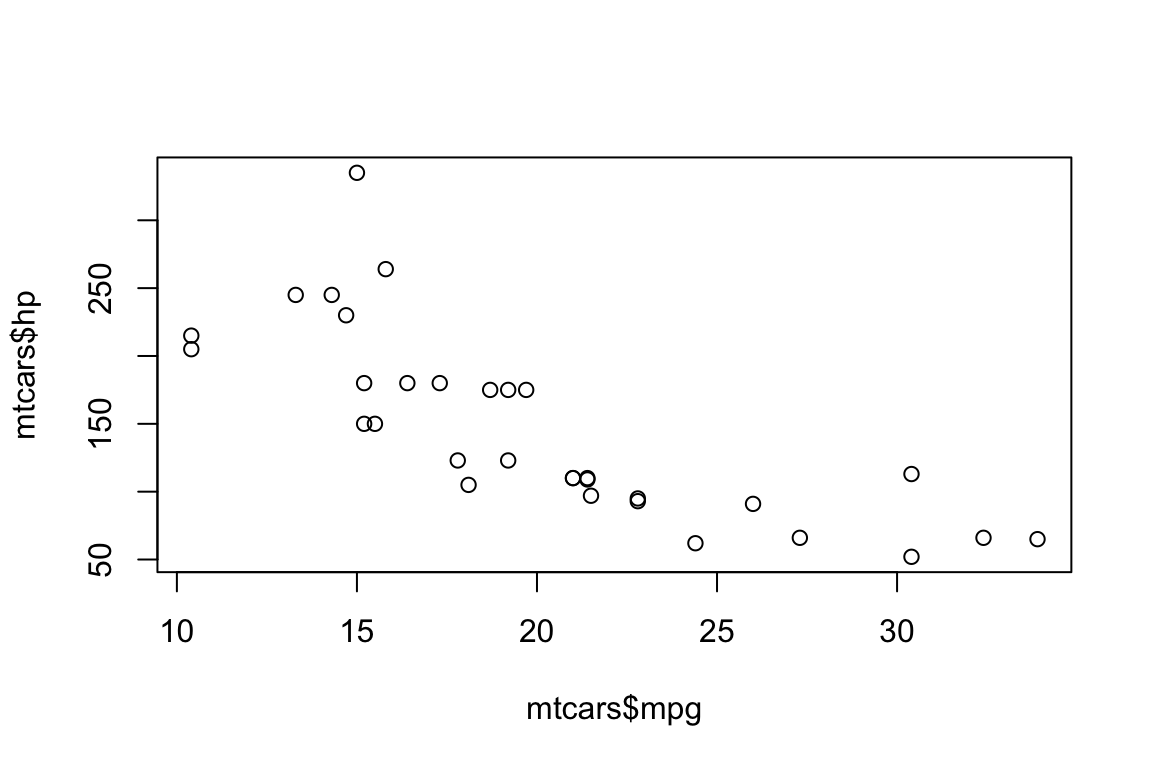{#fig-scatter width=576}
:::
:::Common Chunk Options:
| Option | Description | Values |
|---|---|---|
label |
Unique chunk identifier | fig-name, tbl-name |
echo |
Show code | true, false |
eval |
Execute code | true, false |
include |
Include output | true, false |
warning |
Show warnings | true, false |
message |
Show messages | true, false |
error |
Show errors | true, false |
fig-cap |
Figure caption | "Caption text" |
fig-width |
Figure width (inches) | 6, 8, etc. |
fig-height |
Figure height (inches) | 4, 6, etc. |
tbl-cap |
Table caption | "Caption text" |
output |
Control output | true, false, asis |
Quarto provides automatic numbering and cross-referencing:
Figures:
::: {.cell}
```{.r .cell-code}
hist(rnorm(100))
```
::: {.cell-output-display}
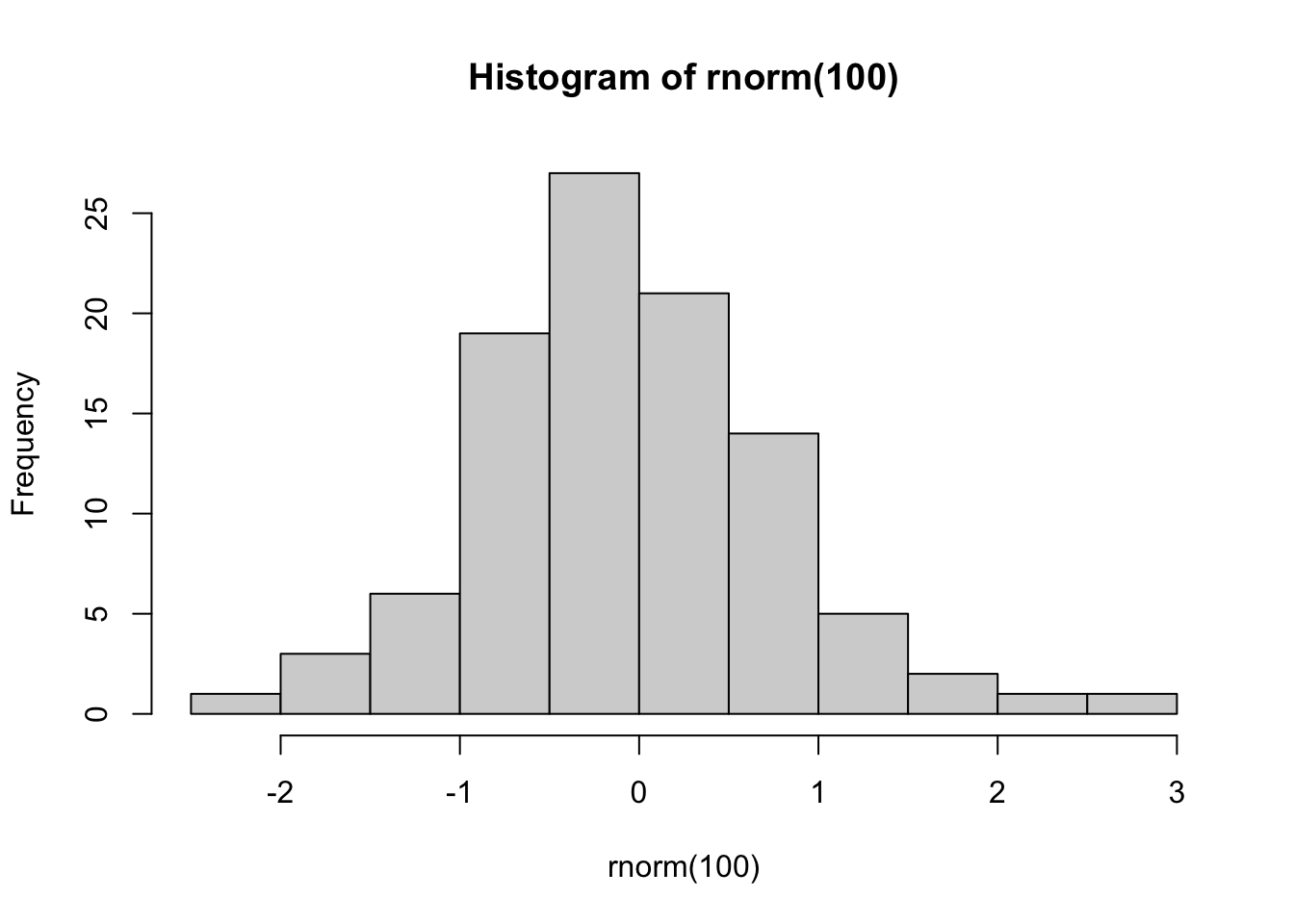{#fig-histogram width=672}
:::
:::
See @fig-histogram for the distribution.Tables:
::: {#tbl-summary .cell tbl-cap='Summary statistics'}

```{.r .cell-code}
knitr::kable(summary(mtcars))
```

::: {.cell-output-display}


|   |     mpg      |     cyl      |     disp     |      hp      |     drat     |      wt      |     qsec     |      vs       |      am       |     gear     |     carb     |
|:--|:-------------|:-------------|:-------------|:-------------|:-------------|:-------------|:-------------|:--------------|:--------------|:-------------|:-------------|
|   |Min.   :10.40 |Min.   :4.000 |Min.   : 71.1 |Min.   : 52.0 |Min.   :2.760 |Min.   :1.513 |Min.   :14.50 |Min.   :0.0000 |Min.   :0.0000 |Min.   :3.000 |Min.   :1.000 |
|   |1st Qu.:15.43 |1st Qu.:4.000 |1st Qu.:120.8 |1st Qu.: 96.5 |1st Qu.:3.080 |1st Qu.:2.581 |1st Qu.:16.89 |1st Qu.:0.0000 |1st Qu.:0.0000 |1st Qu.:3.000 |1st Qu.:2.000 |
|   |Median :19.20 |Median :6.000 |Median :196.3 |Median :123.0 |Median :3.695 |Median :3.325 |Median :17.71 |Median :0.0000 |Median :0.0000 |Median :4.000 |Median :2.000 |
|   |Mean   :20.09 |Mean   :6.188 |Mean   :230.7 |Mean   :146.7 |Mean   :3.597 |Mean   :3.217 |Mean   :17.85 |Mean   :0.4375 |Mean   :0.4062 |Mean   :3.688 |Mean   :2.812 |
|   |3rd Qu.:22.80 |3rd Qu.:8.000 |3rd Qu.:326.0 |3rd Qu.:180.0 |3rd Qu.:3.920 |3rd Qu.:3.610 |3rd Qu.:18.90 |3rd Qu.:1.0000 |3rd Qu.:1.0000 |3rd Qu.:4.000 |3rd Qu.:4.000 |
|   |Max.   :33.90 |Max.   :8.000 |Max.   :472.0 |Max.   :335.0 |Max.   :4.930 |Max.   :5.424 |Max.   :22.90 |Max.   :1.0000 |Max.   :1.0000 |Max.   :5.000 |Max.   :8.000 |


:::
:::


Results are shown in @tbl-summary.
Sections:
## Methods {#sec-methods}

As described in @sec-methods, we used...
Equations:
$$
E = mc^2
$$ {#eq-einstein}

According to @eq-einstein, energy equals...
Cross-Reference Prefixes:
| Type | Prefix | Example |
|---|---|---|
| Figure | fig- |
@fig-scatter |
| Table | tbl- |
@tbl-results |
| Section | sec- |
@sec-intro |
| Equation | eq- |
@eq-model |
| Theorem | thm- |
@thm-central-limit |
| Lemma | lem- |
@lem-property |
| Proof | prp- |
@prp-main |
Reference bibliography entries using @key:
According to @fisher1925 and @student1908, the t-test...

Multiple citations [@fisher1925; @student1908].

Citation with page number [@fisher1925, p. 42].

Citation with prefix [see @fisher1925, p. 42].
Bibliography File (BibTeX):
@article{fisher1925,
  author = {Fisher, R. A.},
  title = {Statistical Methods for Research Workers},
  journal = {Oliver and Boyd},
  year = {1925}
}
Callout blocks highlight important information:
Note:
:::{.callout-note}
This is a note callout block.
:::
Tip:
:::{.callout-tip}
## Pro Tip
This is a helpful tip for users.
:::
Warning:
:::{.callout-warning}
Be careful with this approach!
:::
Important:
:::{.callout-important}
This is crucial information.
:::
Caution:
:::{.callout-caution}
Proceed with caution.
:::
Callout Types:
| Type | Icon | Color | Usage |
|---|---|---|---|
note |
Info | Blue | General information |
tip |
Lightbulb | Green | Helpful suggestions |
warning |
Warning | Orange | Potential issues |
important |
Exclamation | Red | Critical information |
caution |
Fire | Red | Dangerous operations |
Collapsible Callouts:
:::{.callout-note collapse="true"}
## Expandable Note
This content is hidden by default.
:::Organize content into tabs:
::: {.panel-tabset}

## R Code

::: {.cell}

```{.r .cell-code}
mean(c(1, 2, 3, 4, 5))
[1] 3:::
sum(c(1, 2, 3, 4, 5)) / length(c(1, 2, 3, 4, 5))[1] 3:::
### Equations {#sec-equations}

**Inline Math:**
```markdown
The mean is calculated as $\bar{x} = \frac{1}{n}\sum_{i=1}^{n}x_i$.
Display Math:
$$
\sigma^2 = \frac{1}{n-1}\sum_{i=1}^{n}(x_i - \bar{x})^2
$$
Numbered Equations:
$$
f(x) = \frac{1}{\sigma\sqrt{2\pi}} e^{-\frac{(x-\mu)^2}{2\sigma^2}}
$$ {#eq-normal}

The normal distribution (@eq-normal) is...
Aligned Equations:
$$
\begin{aligned}
\bar{x} &= \frac{1}{n}\sum_{i=1}^{n}x_i \\
&= \frac{x_1 + x_2 + \cdots + x_n}{n}
\end{aligned}
$$ {#eq-mean}Basic Figure:
::: {.cell}
```{.r .cell-code}
plot(mtcars$mpg, mtcars$hp,
xlab = "Miles per Gallon",
ylab = "Horsepower")
```
::: {.cell-output-display}
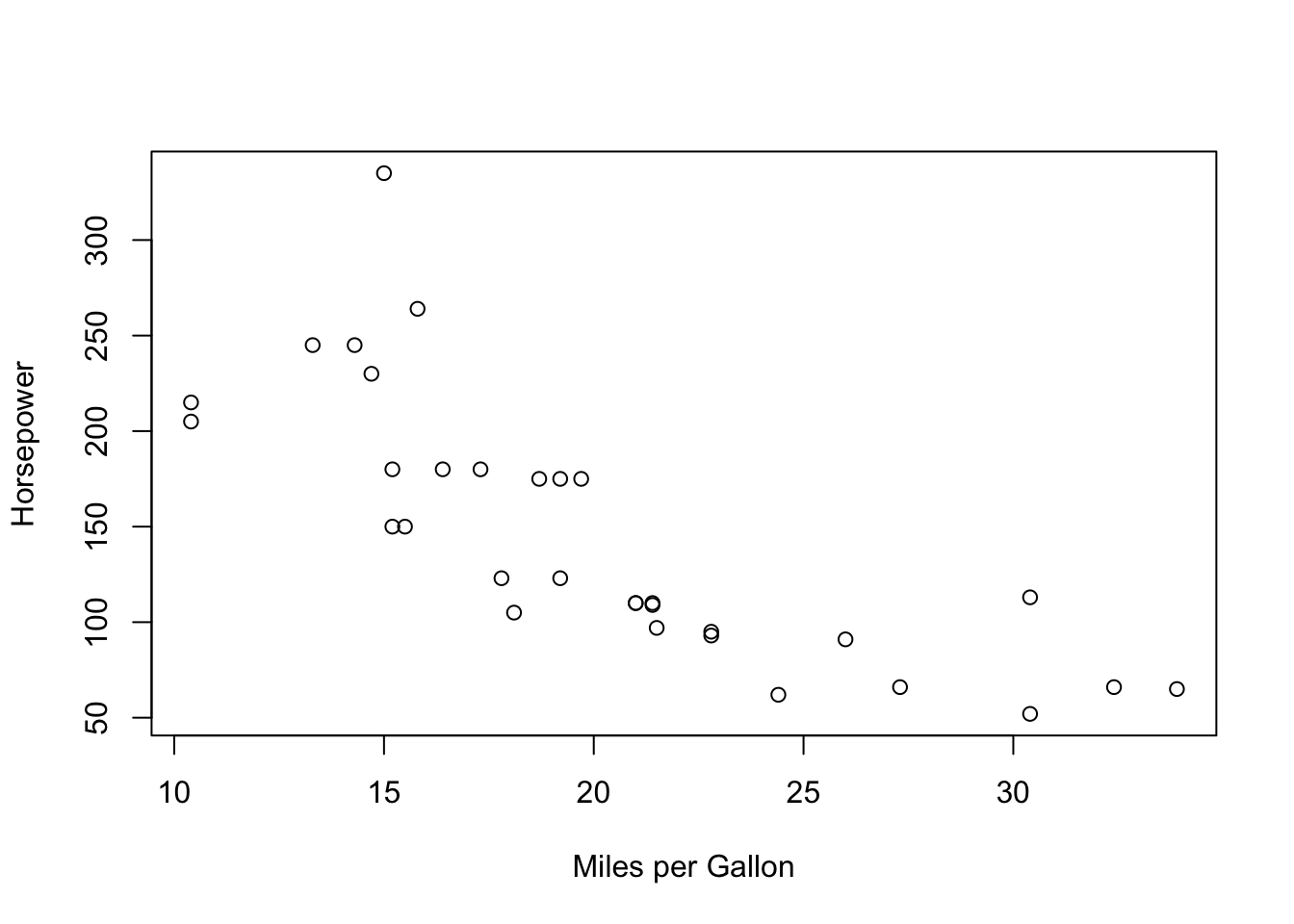{#fig-plot width=672}
:::
:::Multiple Figures (Subfigures):
::: {#fig-multiple .cell layout-ncol="2"}
```{.r .cell-code}
hist(rnorm(1000))
hist(rexp(1000))
```
::: {.cell-output-display}
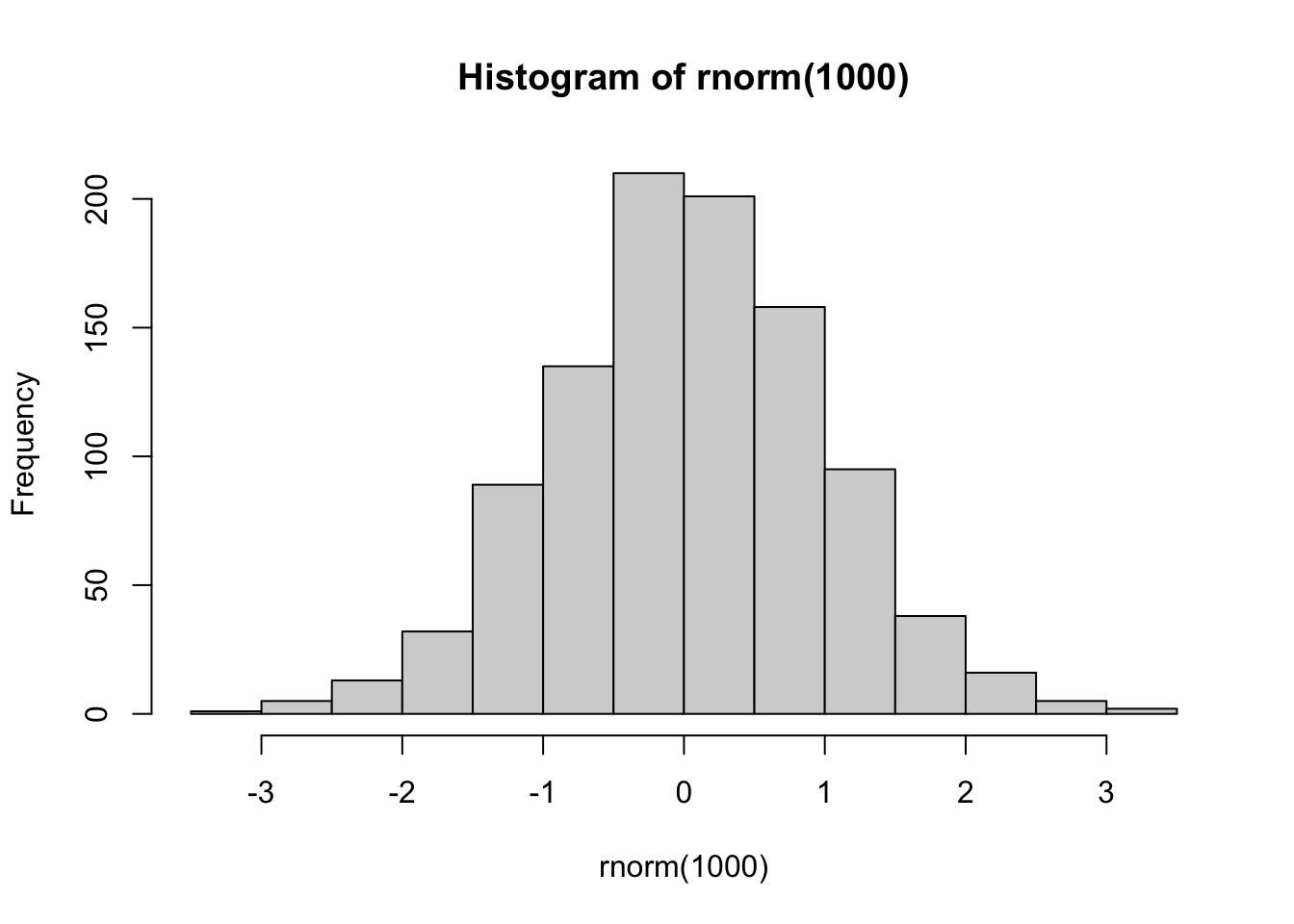{#fig-multiple-1 width=672}
:::
::: {.cell-output-display}
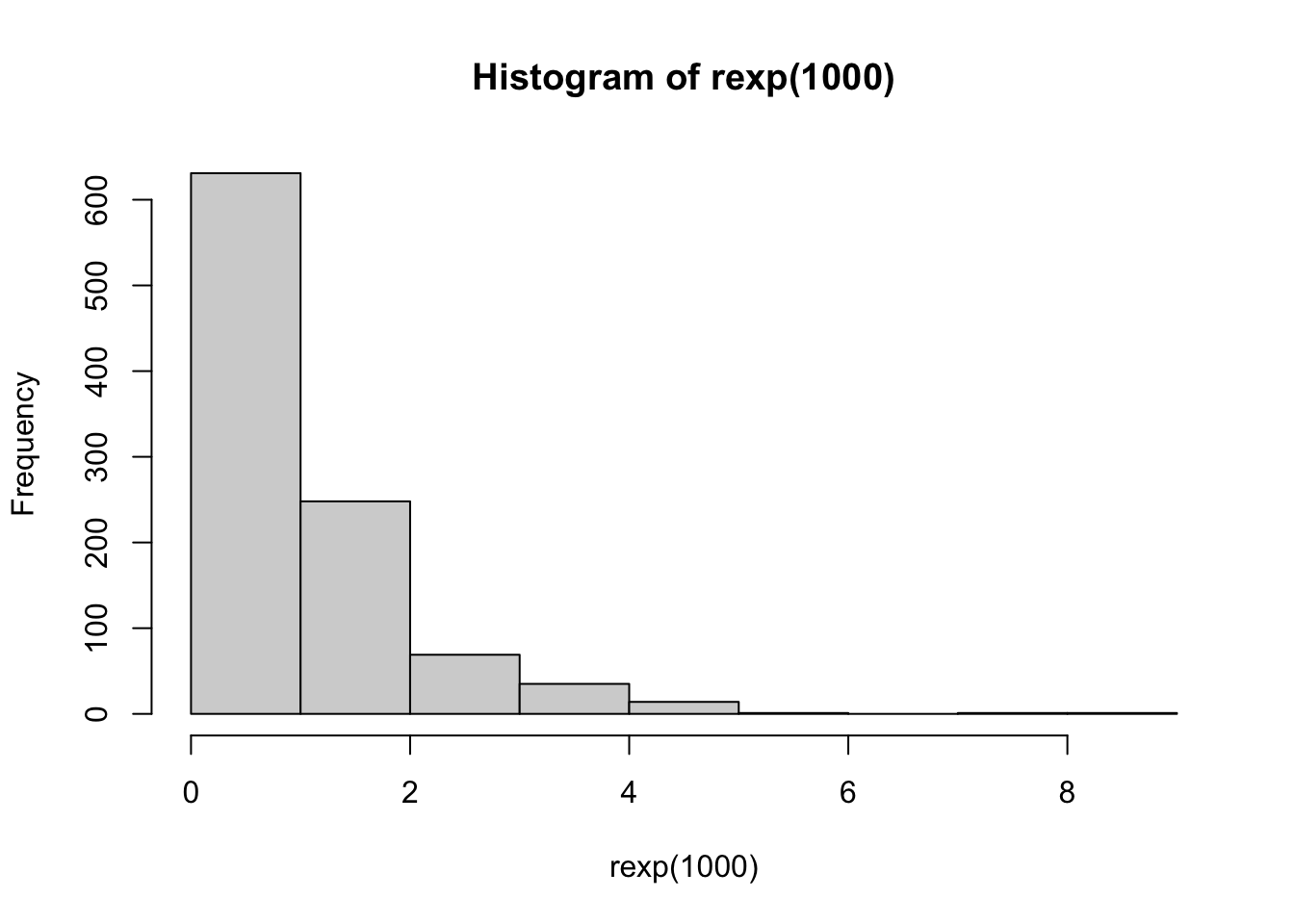{#fig-multiple-2 width=672}
:::
Comparison of distributions
:::
See @fig-multiple-1 and @fig-multiple-2.Markdown Images with Labels:
{#fig-setup}
The apparatus shown in @fig-setup was used...| Option | Description | Example |
|---|---|---|
fig-width |
Width in inches | fig-width: 6 |
fig-height |
Height in inches | fig-height: 4 |
fig-align |
Alignment | left, center, right |
out-width |
Output width (%) | out-width: "80%" |
fig-dpi |
Resolution | fig-dpi: 300 |
Example:
::: {.cell layout-align="center"}
```{.r .cell-code}
plot(pressure)
```
::: {.cell-output-display}
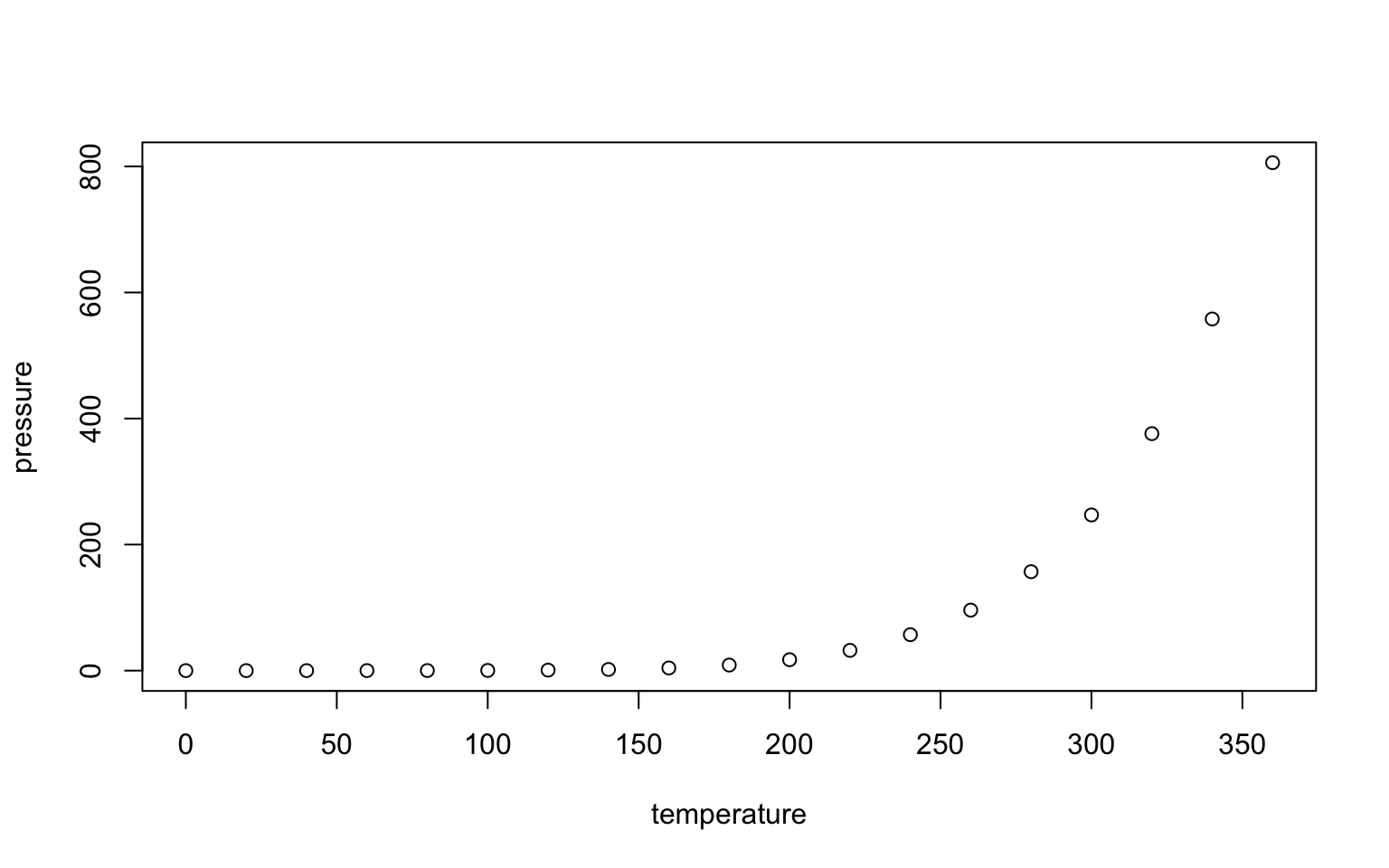{fig-align='center' width=90%}
:::
:::Markdown Tables (Pipe Tables):
| Column 1 | Column 2 | Column 3 |
|:---------|:--------:|---------:|
| Left     | Center   | Right    |
| aligned  | aligned  | aligned  |
| text     | text     | text     |
Table Alignment: - :--- = Left aligned - :--: = Center aligned - ---: = Right aligned
Grid Tables:
+----------+----------+----------+
| Column 1 | Column 2 | Column 3 |
+==========+==========+==========+
| Row 1    | Data     | Values   |
+----------+----------+----------+
| Row 2    | More     | Content  |
+----------+----------+----------+
Code-Generated Tables:
::: {#tbl-mtcars .cell tbl-cap='Summary of mtcars dataset'}

```{.r .cell-code}
knitr::kable(head(mtcars[, 1:4]))
```

::: {.cell-output-display}


|                  |  mpg| cyl| disp|  hp|
|:-----------------|----:|---:|----:|---:|
|Mazda RX4         | 21.0|   6|  160| 110|
|Mazda RX4 Wag     | 21.0|   6|  160| 110|
|Datsun 710        | 22.8|   4|  108|  93|
|Hornet 4 Drive    | 21.4|   6|  258| 110|
|Hornet Sportabout | 18.7|   8|  360| 175|
|Valiant           | 18.1|   6|  225| 105|


:::
:::
Caption and Label:
: Summary statistics for experimental groups {#tbl-summary}

| Group | Mean | SD   | N  |
|:------|-----:|-----:|---:|
| A     | 5.2  | 1.1  | 20 |
| B | 6.8 | 1.4 | 20 |format:
html:
toc: true
toc-depth: 3
toc-location: left
number-sections: true
code-fold: true
code-tools: true
code-copy: true
theme: cosmo
highlight-style: github
embed-resources: false
fig-width: 7
fig-height: 5Common HTML Options:
| Option | Description | Values |
|---|---|---|
toc |
Table of contents | true, false |
toc-depth |
TOC depth | 1, 2, 3, etc. |
toc-location |
TOC position | left, right, body |
code-fold |
Foldable code | true, false, show |
code-tools |
Code tools menu | true, false |
theme |
Visual theme | default, cosmo, flatly, etc. |
embed-resources |
Self-contained | true, false |
format:
  pdf:
    documentclass: article
    geometry:
      - margin=1in
      - letterpaper
    number-sections: true
    colorlinks: true
    toc: true
    toc-depth: 2
    keep-tex: false
Common PDF Options:
| Option | Description | Values |
|---|---|---|
documentclass |
LaTeX class | article, report, book |
geometry |
Page layout | margin=1in, etc. |
fontsize |
Text size | 10pt, 11pt, 12pt |
colorlinks |
Colored links | true, false |
keep-tex |
Keep .tex file | true, false |
format:
  docx:
    toc: true
    number-sections: true
    highlight-style: github
reference-doc: custom-template.docxformat:
html:
toc: true
theme: cosmo
pdf:
documentclass: article
docx:
toc: trueRender specific format:
quarto render document.qmd --to html
quarto render document.qmd --to pdf| Command | Description |
|---|---|
quarto preview file.qmd |
Live preview in browser |
quarto render file.qmd |
Render to default format |
quarto render file.qmd --to html |
Render to HTML |
quarto render file.qmd --to pdf |
Render to PDF |
quarto render file.qmd --to docx |
Render to Word |
quarto render |
Render entire project |
quarto publish |
Publish document online |
| Command | Description |
|---|---|
quarto create project |
Create new project |
quarto preview |
Preview project |
quarto render |
Render all project files |
quarto check |
Check installation |
quarto tools install |
Install required tools |
# Preview on specific port
quarto preview document.qmd --port 8080

# Preview without opening browser
quarto preview document.qmd --no-browser

# Preview specific format
quarto preview document.qmd --to pdf# Render with parameters
quarto render document.qmd -P alpha:0.05 -P n:100
# Render to specific output file
quarto render document.qmd --output report.html
# Render all formats
quarto render document.qmd --to all
# Execute code even if frozen
quarto render document.qmd --executeWhen using Quarto in RStudio or VS Code:
| Shortcut | Action | Platform |
|---|---|---|
Cmd/Ctrl + Shift + K |
Render document | All |
Cmd/Ctrl + Shift + Enter |
Run current chunk | All |
Cmd/Ctrl + Alt + I |
Insert code chunk | RStudio |
Cmd/Ctrl + Alt + P |
Run all chunks above | RStudio |
Document Structure:
---
title: "Title"
format: html
---

# Section

Text with **bold** and *italic*.


::: {.cell}

```{.r .cell-code}
code here
Error in parse(text = input): <text>:1:6: unexpected symbol
1: code here
^:::
See ?fig-name and ?sec-other.
**Essential Syntax:**
- Headers: `#`, `##`, `###`
- Bold: `**text**`
- Italic: `*text*`
- Code: `` `code` ``
- Link: `[text](url)`
- Image: ``
- Equation: `$math$` or `$$display$$`
- Citation: `@reference`
- Cross-ref: `@fig-name`, `@tbl-name`, `@sec-name`
**Key Features:**
- Use YAML for configuration
- Use `#|` for chunk options
- Label figures/tables/sections with `{#prefix-name}`
- Reference with `@prefix-name`
- Use callouts for important info
- Organize with tabsets and divs
:::{#quarto-navigation-envelope .hidden}
[Statistics for the Biosciences and Bioengineering]{.hidden .quarto-markdown-envelope-contents render-id="cXVhcnRvLWludC1zaWRlYmFyLXRpdGxl"}
[Statistics for the Biosciences and Bioengineering]{.hidden .quarto-markdown-envelope-contents render-id="cXVhcnRvLWludC1uYXZiYXItdGl0bGU="}
[<span class='chapter-number'>48</span> <span class='chapter-title'>LaTeX Command Reference</span>]{.hidden .quarto-markdown-envelope-contents render-id="cXVhcnRvLWludC1uZXh0"}
[<span class='chapter-number'>46</span> <span class='chapter-title'>R Command Reference</span>]{.hidden .quarto-markdown-envelope-contents render-id="cXVhcnRvLWludC1wcmV2"}
[<span class='chapter-number'>1</span> <span class='chapter-title'>Why This Book?</span>]{.hidden .quarto-markdown-envelope-contents render-id="cXVhcnRvLWludC1zaWRlYmFyOi9pbmRleC5odG1sPHNwYW4tY2xhc3M9J2NoYXB0ZXItbnVtYmVyJz4xPC9zcGFuPi0tPHNwYW4tY2xhc3M9J2NoYXB0ZXItdGl0bGUnPldoeS1UaGlzLUJvb2s/PC9zcGFuPg=="}
[Core Data Science Tools]{.hidden .quarto-markdown-envelope-contents render-id="cXVhcnRvLWludC1zaWRlYmFyOnF1YXJ0by1zaWRlYmFyLXNlY3Rpb24tMQ=="}
[<span class='chapter-number'>2</span> <span class='chapter-title'>Introduction</span>]{.hidden .quarto-markdown-envelope-contents render-id="cXVhcnRvLWludC1zaWRlYmFyOi9jaGFwdGVycy8wMS1pbnRyb2R1Y3Rpb24uaHRtbDxzcGFuLWNsYXNzPSdjaGFwdGVyLW51bWJlcic+Mjwvc3Bhbj4tLTxzcGFuLWNsYXNzPSdjaGFwdGVyLXRpdGxlJz5JbnRyb2R1Y3Rpb248L3NwYW4+"}
[<span class='chapter-number'>3</span> <span class='chapter-title'>Installing Core Tools</span>]{.hidden .quarto-markdown-envelope-contents render-id="cXVhcnRvLWludC1zaWRlYmFyOi9jaGFwdGVycy8wMi1pbnN0YWxsaW5nLXRvb2xzLmh0bWw8c3Bhbi1jbGFzcz0nY2hhcHRlci1udW1iZXInPjM8L3NwYW4+LS08c3Bhbi1jbGFzcz0nY2hhcHRlci10aXRsZSc+SW5zdGFsbGluZy1Db3JlLVRvb2xzPC9zcGFuPg=="}
[<span class='chapter-number'>4</span> <span class='chapter-title'>Unix and the Command Line</span>]{.hidden .quarto-markdown-envelope-contents render-id="cXVhcnRvLWludC1zaWRlYmFyOi9jaGFwdGVycy8wMy11bml4LWNvbW1hbmQtbGluZS5odG1sPHNwYW4tY2xhc3M9J2NoYXB0ZXItbnVtYmVyJz40PC9zcGFuPi0tPHNwYW4tY2xhc3M9J2NoYXB0ZXItdGl0bGUnPlVuaXgtYW5kLXRoZS1Db21tYW5kLUxpbmU8L3NwYW4+"}
[<span class='chapter-number'>5</span> <span class='chapter-title'>R and RStudio</span>]{.hidden .quarto-markdown-envelope-contents render-id="cXVhcnRvLWludC1zaWRlYmFyOi9jaGFwdGVycy8wNC1yLXJzdHVkaW8uaHRtbDxzcGFuLWNsYXNzPSdjaGFwdGVyLW51bWJlcic+NTwvc3Bhbj4tLTxzcGFuLWNsYXNzPSdjaGFwdGVyLXRpdGxlJz5SLWFuZC1SU3R1ZGlvPC9zcGFuPg=="}
[<span class='chapter-number'>6</span> <span class='chapter-title'>Markdown and LaTeX</span>]{.hidden .quarto-markdown-envelope-contents render-id="cXVhcnRvLWludC1zaWRlYmFyOi9jaGFwdGVycy8wNS1tYXJrZG93bi1sYXRleC5odG1sPHNwYW4tY2xhc3M9J2NoYXB0ZXItbnVtYmVyJz42PC9zcGFuPi0tPHNwYW4tY2xhc3M9J2NoYXB0ZXItdGl0bGUnPk1hcmtkb3duLWFuZC1MYVRlWDwvc3Bhbj4="}
[Data Exploration]{.hidden .quarto-markdown-envelope-contents render-id="cXVhcnRvLWludC1zaWRlYmFyOnF1YXJ0by1zaWRlYmFyLXNlY3Rpb24tMg=="}
[<span class='chapter-number'>7</span> <span class='chapter-title'>Tidy Data</span>]{.hidden .quarto-markdown-envelope-contents render-id="cXVhcnRvLWludC1zaWRlYmFyOi9jaGFwdGVycy8wNi10aWR5LWRhdGEuaHRtbDxzcGFuLWNsYXNzPSdjaGFwdGVyLW51bWJlcic+Nzwvc3Bhbj4tLTxzcGFuLWNsYXNzPSdjaGFwdGVyLXRpdGxlJz5UaWR5LURhdGE8L3NwYW4+"}
[<span class='chapter-number'>8</span> <span class='chapter-title'>Data Wrangling with dplyr</span>]{.hidden .quarto-markdown-envelope-contents render-id="cXVhcnRvLWludC1zaWRlYmFyOi9jaGFwdGVycy8wNy1kYXRhLXdyYW5nbGluZy5odG1sPHNwYW4tY2xhc3M9J2NoYXB0ZXItbnVtYmVyJz44PC9zcGFuPi0tPHNwYW4tY2xhc3M9J2NoYXB0ZXItdGl0bGUnPkRhdGEtV3JhbmdsaW5nLXdpdGgtZHBseXI8L3NwYW4+"}
[<span class='chapter-number'>9</span> <span class='chapter-title'>Exploratory Data Analysis</span>]{.hidden .quarto-markdown-envelope-contents render-id="cXVhcnRvLWludC1zaWRlYmFyOi9jaGFwdGVycy8wOC1leHBsb3JhdG9yeS1kYXRhLWFuYWx5c2lzLmh0bWw8c3Bhbi1jbGFzcz0nY2hhcHRlci1udW1iZXInPjk8L3NwYW4+LS08c3Bhbi1jbGFzcz0nY2hhcHRlci10aXRsZSc+RXhwbG9yYXRvcnktRGF0YS1BbmFseXNpczwvc3Bhbj4="}
[<span class='chapter-number'>10</span> <span class='chapter-title'>Data Visualization</span>]{.hidden .quarto-markdown-envelope-contents render-id="cXVhcnRvLWludC1zaWRlYmFyOi9jaGFwdGVycy8wOS1kYXRhLXZpc3VhbGl6YXRpb24uaHRtbDxzcGFuLWNsYXNzPSdjaGFwdGVyLW51bWJlcic+MTA8L3NwYW4+LS08c3Bhbi1jbGFzcz0nY2hhcHRlci10aXRsZSc+RGF0YS1WaXN1YWxpemF0aW9uPC9zcGFuPg=="}
[Probability and Distributions]{.hidden .quarto-markdown-envelope-contents render-id="cXVhcnRvLWludC1zaWRlYmFyOnF1YXJ0by1zaWRlYmFyLXNlY3Rpb24tMw=="}
[<span class='chapter-number'>11</span> <span class='chapter-title'>Foundations of Probability</span>]{.hidden .quarto-markdown-envelope-contents render-id="cXVhcnRvLWludC1zaWRlYmFyOi9jaGFwdGVycy8xMC1wcm9iYWJpbGl0eS1mb3VuZGF0aW9ucy5odG1sPHNwYW4tY2xhc3M9J2NoYXB0ZXItbnVtYmVyJz4xMTwvc3Bhbj4tLTxzcGFuLWNsYXNzPSdjaGFwdGVyLXRpdGxlJz5Gb3VuZGF0aW9ucy1vZi1Qcm9iYWJpbGl0eTwvc3Bhbj4="}
[<span class='chapter-number'>12</span> <span class='chapter-title'>Discrete Probability Distributions</span>]{.hidden .quarto-markdown-envelope-contents render-id="cXVhcnRvLWludC1zaWRlYmFyOi9jaGFwdGVycy8xMS1kaXNjcmV0ZS1kaXN0cmlidXRpb25zLmh0bWw8c3Bhbi1jbGFzcz0nY2hhcHRlci1udW1iZXInPjEyPC9zcGFuPi0tPHNwYW4tY2xhc3M9J2NoYXB0ZXItdGl0bGUnPkRpc2NyZXRlLVByb2JhYmlsaXR5LURpc3RyaWJ1dGlvbnM8L3NwYW4+"}
[<span class='chapter-number'>13</span> <span class='chapter-title'>Continuous Probability Distributions</span>]{.hidden .quarto-markdown-envelope-contents render-id="cXVhcnRvLWludC1zaWRlYmFyOi9jaGFwdGVycy8xMi1jb250aW51b3VzLWRpc3RyaWJ1dGlvbnMuaHRtbDxzcGFuLWNsYXNzPSdjaGFwdGVyLW51bWJlcic+MTM8L3NwYW4+LS08c3Bhbi1jbGFzcz0nY2hhcHRlci10aXRsZSc+Q29udGludW91cy1Qcm9iYWJpbGl0eS1EaXN0cmlidXRpb25zPC9zcGFuPg=="}
[<span class='chapter-number'>14</span> <span class='chapter-title'>Sampling and Parameter Estimation</span>]{.hidden .quarto-markdown-envelope-contents render-id="cXVhcnRvLWludC1zaWRlYmFyOi9jaGFwdGVycy8xMy1zYW1wbGluZy1lc3RpbWF0aW9uLmh0bWw8c3Bhbi1jbGFzcz0nY2hhcHRlci1udW1iZXInPjE0PC9zcGFuPi0tPHNwYW4tY2xhc3M9J2NoYXB0ZXItdGl0bGUnPlNhbXBsaW5nLWFuZC1QYXJhbWV0ZXItRXN0aW1hdGlvbjwvc3Bhbj4="}
[Statistical Inference]{.hidden .quarto-markdown-envelope-contents render-id="cXVhcnRvLWludC1zaWRlYmFyOnF1YXJ0by1zaWRlYmFyLXNlY3Rpb24tNA=="}
[<span class='chapter-number'>15</span> <span class='chapter-title'>Experimental Design Principles</span>]{.hidden .quarto-markdown-envelope-contents render-id="cXVhcnRvLWludC1zaWRlYmFyOi9jaGFwdGVycy8xNC1leHBlcmltZW50YWwtZGVzaWduLmh0bWw8c3Bhbi1jbGFzcz0nY2hhcHRlci1udW1iZXInPjE1PC9zcGFuPi0tPHNwYW4tY2xhc3M9J2NoYXB0ZXItdGl0bGUnPkV4cGVyaW1lbnRhbC1EZXNpZ24tUHJpbmNpcGxlczwvc3Bhbj4="}
[<span class='chapter-number'>16</span> <span class='chapter-title'>Hypothesis Testing</span>]{.hidden .quarto-markdown-envelope-contents render-id="cXVhcnRvLWludC1zaWRlYmFyOi9jaGFwdGVycy8xNS1oeXBvdGhlc2lzLXRlc3RpbmcuaHRtbDxzcGFuLWNsYXNzPSdjaGFwdGVyLW51bWJlcic+MTY8L3NwYW4+LS08c3Bhbi1jbGFzcz0nY2hhcHRlci10aXRsZSc+SHlwb3RoZXNpcy1UZXN0aW5nPC9zcGFuPg=="}
[<span class='chapter-number'>17</span> <span class='chapter-title'>T-Tests</span>]{.hidden .quarto-markdown-envelope-contents render-id="cXVhcnRvLWludC1zaWRlYmFyOi9jaGFwdGVycy8xNi10LXRlc3RzLmh0bWw8c3Bhbi1jbGFzcz0nY2hhcHRlci1udW1iZXInPjE3PC9zcGFuPi0tPHNwYW4tY2xhc3M9J2NoYXB0ZXItdGl0bGUnPlQtVGVzdHM8L3NwYW4+"}
[<span class='chapter-number'>18</span> <span class='chapter-title'>Nonparametric Tests</span>]{.hidden .quarto-markdown-envelope-contents render-id="cXVhcnRvLWludC1zaWRlYmFyOi9jaGFwdGVycy8xNy1ub25wYXJhbWV0cmljLXRlc3RzLmh0bWw8c3Bhbi1jbGFzcz0nY2hhcHRlci1udW1iZXInPjE4PC9zcGFuPi0tPHNwYW4tY2xhc3M9J2NoYXB0ZXItdGl0bGUnPk5vbnBhcmFtZXRyaWMtVGVzdHM8L3NwYW4+"}
[<span class='chapter-number'>19</span> <span class='chapter-title'>Resampling Methods</span>]{.hidden .quarto-markdown-envelope-contents render-id="cXVhcnRvLWludC1zaWRlYmFyOi9jaGFwdGVycy8xOC1ib290c3RyYXBwaW5nLmh0bWw8c3Bhbi1jbGFzcz0nY2hhcHRlci1udW1iZXInPjE5PC9zcGFuPi0tPHNwYW4tY2xhc3M9J2NoYXB0ZXItdGl0bGUnPlJlc2FtcGxpbmctTWV0aG9kczwvc3Bhbj4="}
[Linear Models]{.hidden .quarto-markdown-envelope-contents render-id="cXVhcnRvLWludC1zaWRlYmFyOnF1YXJ0by1zaWRlYmFyLXNlY3Rpb24tNQ=="}
[<span class='chapter-number'>20</span> <span class='chapter-title'>What are Models?</span>]{.hidden .quarto-markdown-envelope-contents render-id="cXVhcnRvLWludC1zaWRlYmFyOi9jaGFwdGVycy8xOS13aGF0LWFyZS1tb2RlbHMuaHRtbDxzcGFuLWNsYXNzPSdjaGFwdGVyLW51bWJlcic+MjA8L3NwYW4+LS08c3Bhbi1jbGFzcz0nY2hhcHRlci10aXRsZSc+V2hhdC1hcmUtTW9kZWxzPzwvc3Bhbj4="}
[<span class='chapter-number'>21</span> <span class='chapter-title'>Correlation</span>]{.hidden .quarto-markdown-envelope-contents render-id="cXVhcnRvLWludC1zaWRlYmFyOi9jaGFwdGVycy8yMC1jb3JyZWxhdGlvbi5odG1sPHNwYW4tY2xhc3M9J2NoYXB0ZXItbnVtYmVyJz4yMTwvc3Bhbj4tLTxzcGFuLWNsYXNzPSdjaGFwdGVyLXRpdGxlJz5Db3JyZWxhdGlvbjwvc3Bhbj4="}
[<span class='chapter-number'>22</span> <span class='chapter-title'>Simple Linear Regression</span>]{.hidden .quarto-markdown-envelope-contents render-id="cXVhcnRvLWludC1zaWRlYmFyOi9jaGFwdGVycy8yMS1zaW1wbGUtbGluZWFyLXJlZ3Jlc3Npb24uaHRtbDxzcGFuLWNsYXNzPSdjaGFwdGVyLW51bWJlcic+MjI8L3NwYW4+LS08c3Bhbi1jbGFzcz0nY2hhcHRlci10aXRsZSc+U2ltcGxlLUxpbmVhci1SZWdyZXNzaW9uPC9zcGFuPg=="}
[<span class='chapter-number'>23</span> <span class='chapter-title'>Residual Analysis</span>]{.hidden .quarto-markdown-envelope-contents render-id="cXVhcnRvLWludC1zaWRlYmFyOi9jaGFwdGVycy8yMi1yZXNpZHVhbC1hbmFseXNpcy5odG1sPHNwYW4tY2xhc3M9J2NoYXB0ZXItbnVtYmVyJz4yMzwvc3Bhbj4tLTxzcGFuLWNsYXNzPSdjaGFwdGVyLXRpdGxlJz5SZXNpZHVhbC1BbmFseXNpczwvc3Bhbj4="}
[<span class='chapter-number'>24</span> <span class='chapter-title'>Statistical Power</span>]{.hidden .quarto-markdown-envelope-contents render-id="cXVhcnRvLWludC1zaWRlYmFyOi9jaGFwdGVycy8yMy1zdGF0aXN0aWNhbC1wb3dlci5odG1sPHNwYW4tY2xhc3M9J2NoYXB0ZXItbnVtYmVyJz4yNDwvc3Bhbj4tLTxzcGFuLWNsYXNzPSdjaGFwdGVyLXRpdGxlJz5TdGF0aXN0aWNhbC1Qb3dlcjwvc3Bhbj4="}
[<span class='chapter-number'>25</span> <span class='chapter-title'>Multiple Regression</span>]{.hidden .quarto-markdown-envelope-contents render-id="cXVhcnRvLWludC1zaWRlYmFyOi9jaGFwdGVycy8yNC1tdWx0aXBsZS1yZWdyZXNzaW9uLmh0bWw8c3Bhbi1jbGFzcz0nY2hhcHRlci1udW1iZXInPjI1PC9zcGFuPi0tPHNwYW4tY2xhc3M9J2NoYXB0ZXItdGl0bGUnPk11bHRpcGxlLVJlZ3Jlc3Npb248L3NwYW4+"}
[<span class='chapter-number'>26</span> <span class='chapter-title'>Single Factor ANOVA</span>]{.hidden .quarto-markdown-envelope-contents render-id="cXVhcnRvLWludC1zaWRlYmFyOi9jaGFwdGVycy8yNS1zaW5nbGUtZmFjdG9yLWFub3ZhLmh0bWw8c3Bhbi1jbGFzcz0nY2hhcHRlci1udW1iZXInPjI2PC9zcGFuPi0tPHNwYW4tY2xhc3M9J2NoYXB0ZXItdGl0bGUnPlNpbmdsZS1GYWN0b3ItQU5PVkE8L3NwYW4+"}
[<span class='chapter-number'>27</span> <span class='chapter-title'>Multi-Factor ANOVA</span>]{.hidden .quarto-markdown-envelope-contents render-id="cXVhcnRvLWludC1zaWRlYmFyOi9jaGFwdGVycy8yNi1tdWx0aWZhY3Rvci1hbm92YS5odG1sPHNwYW4tY2xhc3M9J2NoYXB0ZXItbnVtYmVyJz4yNzwvc3Bhbj4tLTxzcGFuLWNsYXNzPSdjaGFwdGVyLXRpdGxlJz5NdWx0aS1GYWN0b3ItQU5PVkE8L3NwYW4+"}
[<span class='chapter-number'>28</span> <span class='chapter-title'>Generalized Linear Models</span>]{.hidden .quarto-markdown-envelope-contents render-id="cXVhcnRvLWludC1zaWRlYmFyOi9jaGFwdGVycy8yNy1nbG0uaHRtbDxzcGFuLWNsYXNzPSdjaGFwdGVyLW51bWJlcic+Mjg8L3NwYW4+LS08c3Bhbi1jbGFzcz0nY2hhcHRlci10aXRsZSc+R2VuZXJhbGl6ZWQtTGluZWFyLU1vZGVsczwvc3Bhbj4="}
[Statistical Learning]{.hidden .quarto-markdown-envelope-contents render-id="cXVhcnRvLWludC1zaWRlYmFyOnF1YXJ0by1zaWRlYmFyLXNlY3Rpb24tNg=="}
[<span class='chapter-number'>29</span> <span class='chapter-title'>Introduction to Statistical Learning</span>]{.hidden .quarto-markdown-envelope-contents render-id="cXVhcnRvLWludC1zaWRlYmFyOi9jaGFwdGVycy8yOC1pbnRyby1zdGF0aXN0aWNhbC1sZWFybmluZy5odG1sPHNwYW4tY2xhc3M9J2NoYXB0ZXItbnVtYmVyJz4yOTwvc3Bhbj4tLTxzcGFuLWNsYXNzPSdjaGFwdGVyLXRpdGxlJz5JbnRyb2R1Y3Rpb24tdG8tU3RhdGlzdGljYWwtTGVhcm5pbmc8L3NwYW4+"}
[<span class='chapter-number'>30</span> <span class='chapter-title'>Model Validation and the Bias-Variance Tradeoff</span>]{.hidden .quarto-markdown-envelope-contents render-id="cXVhcnRvLWludC1zaWRlYmFyOi9jaGFwdGVycy8yOS1tb2RlbC12YWxpZGF0aW9uLmh0bWw8c3Bhbi1jbGFzcz0nY2hhcHRlci1udW1iZXInPjMwPC9zcGFuPi0tPHNwYW4tY2xhc3M9J2NoYXB0ZXItdGl0bGUnPk1vZGVsLVZhbGlkYXRpb24tYW5kLXRoZS1CaWFzLVZhcmlhbmNlLVRyYWRlb2ZmPC9zcGFuPg=="}
[<span class='chapter-number'>31</span> <span class='chapter-title'>Regularization Methods</span>]{.hidden .quarto-markdown-envelope-contents render-id="cXVhcnRvLWludC1zaWRlYmFyOi9jaGFwdGVycy8zMC1yZWd1bGFyaXphdGlvbi5odG1sPHNwYW4tY2xhc3M9J2NoYXB0ZXItbnVtYmVyJz4zMTwvc3Bhbj4tLTxzcGFuLWNsYXNzPSdjaGFwdGVyLXRpdGxlJz5SZWd1bGFyaXphdGlvbi1NZXRob2RzPC9zcGFuPg=="}
[<span class='chapter-number'>32</span> <span class='chapter-title'>Smoothing and Non-Parametric Regression</span>]{.hidden .quarto-markdown-envelope-contents render-id="cXVhcnRvLWludC1zaWRlYmFyOi9jaGFwdGVycy8zMS1zbW9vdGhpbmcuaHRtbDxzcGFuLWNsYXNzPSdjaGFwdGVyLW51bWJlcic+MzI8L3NwYW4+LS08c3Bhbi1jbGFzcz0nY2hhcHRlci10aXRsZSc+U21vb3RoaW5nLWFuZC1Ob24tUGFyYW1ldHJpYy1SZWdyZXNzaW9uPC9zcGFuPg=="}
[<span class='chapter-number'>33</span> <span class='chapter-title'>Classification and Performance Metrics</span>]{.hidden .quarto-markdown-envelope-contents render-id="cXVhcnRvLWludC1zaWRlYmFyOi9jaGFwdGVycy8zMi1jbGFzc2lmaWNhdGlvbi1tZXRob2RzLmh0bWw8c3Bhbi1jbGFzcz0nY2hhcHRlci1udW1iZXInPjMzPC9zcGFuPi0tPHNwYW4tY2xhc3M9J2NoYXB0ZXItdGl0bGUnPkNsYXNzaWZpY2F0aW9uLWFuZC1QZXJmb3JtYW5jZS1NZXRyaWNzPC9zcGFuPg=="}
[<span class='chapter-number'>34</span> <span class='chapter-title'>Decision Trees and Random Forests</span>]{.hidden .quarto-markdown-envelope-contents render-id="cXVhcnRvLWludC1zaWRlYmFyOi9jaGFwdGVycy8zMy10cmVlcy1mb3Jlc3RzLmh0bWw8c3Bhbi1jbGFzcz0nY2hhcHRlci1udW1iZXInPjM0PC9zcGFuPi0tPHNwYW4tY2xhc3M9J2NoYXB0ZXItdGl0bGUnPkRlY2lzaW9uLVRyZWVzLWFuZC1SYW5kb20tRm9yZXN0czwvc3Bhbj4="}
[<span class='chapter-number'>35</span> <span class='chapter-title'>Support Vector Machines</span>]{.hidden .quarto-markdown-envelope-contents render-id="cXVhcnRvLWludC1zaWRlYmFyOi9jaGFwdGVycy8zNC1zdm0uaHRtbDxzcGFuLWNsYXNzPSdjaGFwdGVyLW51bWJlcic+MzU8L3NwYW4+LS08c3Bhbi1jbGFzcz0nY2hhcHRlci10aXRsZSc+U3VwcG9ydC1WZWN0b3ItTWFjaGluZXM8L3NwYW4+"}
[<span class='chapter-number'>36</span> <span class='chapter-title'>Clustering</span>]{.hidden .quarto-markdown-envelope-contents render-id="cXVhcnRvLWludC1zaWRlYmFyOi9jaGFwdGVycy8zNS1jbHVzdGVyaW5nLmh0bWw8c3Bhbi1jbGFzcz0nY2hhcHRlci1udW1iZXInPjM2PC9zcGFuPi0tPHNwYW4tY2xhc3M9J2NoYXB0ZXItdGl0bGUnPkNsdXN0ZXJpbmc8L3NwYW4+"}
[<span class='chapter-number'>37</span> <span class='chapter-title'>Dimensionality Reduction and Multivariate Methods</span>]{.hidden .quarto-markdown-envelope-contents render-id="cXVhcnRvLWludC1zaWRlYmFyOi9jaGFwdGVycy8zNi1kaW1lbnNpb25hbGl0eS1yZWR1Y3Rpb24uaHRtbDxzcGFuLWNsYXNzPSdjaGFwdGVyLW51bWJlcic+Mzc8L3NwYW4+LS08c3Bhbi1jbGFzcz0nY2hhcHRlci10aXRsZSc+RGltZW5zaW9uYWxpdHktUmVkdWN0aW9uLWFuZC1NdWx0aXZhcmlhdGUtTWV0aG9kczwvc3Bhbj4="}
[<span class='chapter-number'>38</span> <span class='chapter-title'>Non-Linear Dimensionality Reduction: t-SNE and UMAP</span>]{.hidden .quarto-markdown-envelope-contents render-id="cXVhcnRvLWludC1zaWRlYmFyOi9jaGFwdGVycy8zNy10c25lLXVtYXAuaHRtbDxzcGFuLWNsYXNzPSdjaGFwdGVyLW51bWJlcic+Mzg8L3NwYW4+LS08c3Bhbi1jbGFzcz0nY2hhcHRlci10aXRsZSc+Tm9uLUxpbmVhci1EaW1lbnNpb25hbGl0eS1SZWR1Y3Rpb246LXQtU05FLWFuZC1VTUFQPC9zcGFuPg=="}
[<span class='chapter-number'>39</span> <span class='chapter-title'>Bayesian Statistics</span>]{.hidden .quarto-markdown-envelope-contents render-id="cXVhcnRvLWludC1zaWRlYmFyOi9jaGFwdGVycy8zOC1iYXllc2lhbi1zdGF0aXN0aWNzLmh0bWw8c3Bhbi1jbGFzcz0nY2hhcHRlci1udW1iZXInPjM5PC9zcGFuPi0tPHNwYW4tY2xhc3M9J2NoYXB0ZXItdGl0bGUnPkJheWVzaWFuLVN0YXRpc3RpY3M8L3NwYW4+"}
[<span class='chapter-number'>40</span> <span class='chapter-title'>Introduction to Deep Learning</span>]{.hidden .quarto-markdown-envelope-contents render-id="cXVhcnRvLWludC1zaWRlYmFyOi9jaGFwdGVycy8zOS1kZWVwLWxlYXJuaW5nLmh0bWw8c3Bhbi1jbGFzcz0nY2hhcHRlci1udW1iZXInPjQwPC9zcGFuPi0tPHNwYW4tY2xhc3M9J2NoYXB0ZXItdGl0bGUnPkludHJvZHVjdGlvbi10by1EZWVwLUxlYXJuaW5nPC9zcGFuPg=="}
[<span class='chapter-number'>41</span> <span class='chapter-title'>High Performance Computing</span>]{.hidden .quarto-markdown-envelope-contents render-id="cXVhcnRvLWludC1zaWRlYmFyOi9jaGFwdGVycy80MC1oaWdoLXBlcmZvcm1hbmNlLWNvbXB1dGluZy5odG1sPHNwYW4tY2xhc3M9J2NoYXB0ZXItbnVtYmVyJz40MTwvc3Bhbj4tLTxzcGFuLWNsYXNzPSdjaGFwdGVyLXRpdGxlJz5IaWdoLVBlcmZvcm1hbmNlLUNvbXB1dGluZzwvc3Bhbj4="}
[Scientific Communication]{.hidden .quarto-markdown-envelope-contents render-id="cXVhcnRvLWludC1zaWRlYmFyOnF1YXJ0by1zaWRlYmFyLXNlY3Rpb24tNw=="}
[<span class='chapter-number'>42</span> <span class='chapter-title'>Presenting Statistical Results</span>]{.hidden .quarto-markdown-envelope-contents render-id="cXVhcnRvLWludC1zaWRlYmFyOi9jaGFwdGVycy80MS1wcmVzZW50aW5nLXJlc3VsdHMuaHRtbDxzcGFuLWNsYXNzPSdjaGFwdGVyLW51bWJlcic+NDI8L3NwYW4+LS08c3Bhbi1jbGFzcz0nY2hhcHRlci10aXRsZSc+UHJlc2VudGluZy1TdGF0aXN0aWNhbC1SZXN1bHRzPC9zcGFuPg=="}
[Historical Context]{.hidden .quarto-markdown-envelope-contents render-id="cXVhcnRvLWludC1zaWRlYmFyOnF1YXJ0by1zaWRlYmFyLXNlY3Rpb24tOA=="}
[<span class='chapter-number'>43</span> <span class='chapter-title'>The Eugenics History of Statistics</span>]{.hidden .quarto-markdown-envelope-contents render-id="cXVhcnRvLWludC1zaWRlYmFyOi9jaGFwdGVycy9BMS1ldWdlbmljcy1oaXN0b3J5Lmh0bWw8c3Bhbi1jbGFzcz0nY2hhcHRlci1udW1iZXInPjQzPC9zcGFuPi0tPHNwYW4tY2xhc3M9J2NoYXB0ZXItdGl0bGUnPlRoZS1FdWdlbmljcy1IaXN0b3J5LW9mLVN0YXRpc3RpY3M8L3NwYW4+"}
[Appendices]{.hidden .quarto-markdown-envelope-contents render-id="cXVhcnRvLWludC1zaWRlYmFyOnF1YXJ0by1zaWRlYmFyLXNlY3Rpb24tOQ=="}
[<span class='chapter-number'>44</span> <span class='chapter-title'>Keyboard Shortcuts Reference</span>]{.hidden .quarto-markdown-envelope-contents render-id="cXVhcnRvLWludC1zaWRlYmFyOi9jaGFwdGVycy9BMi1rZXlib2FyZC1zaG9ydGN1dHMuaHRtbDxzcGFuLWNsYXNzPSdjaGFwdGVyLW51bWJlcic+NDQ8L3NwYW4+LS08c3Bhbi1jbGFzcz0nY2hhcHRlci10aXRsZSc+S2V5Ym9hcmQtU2hvcnRjdXRzLVJlZmVyZW5jZTwvc3Bhbj4="}
[<span class='chapter-number'>45</span> <span class='chapter-title'>Unix Command Reference</span>]{.hidden .quarto-markdown-envelope-contents render-id="cXVhcnRvLWludC1zaWRlYmFyOi9jaGFwdGVycy9BMy11bml4LXJlZmVyZW5jZS5odG1sPHNwYW4tY2xhc3M9J2NoYXB0ZXItbnVtYmVyJz40NTwvc3Bhbj4tLTxzcGFuLWNsYXNzPSdjaGFwdGVyLXRpdGxlJz5Vbml4LUNvbW1hbmQtUmVmZXJlbmNlPC9zcGFuPg=="}
[<span class='chapter-number'>46</span> <span class='chapter-title'>R Command Reference</span>]{.hidden .quarto-markdown-envelope-contents render-id="cXVhcnRvLWludC1zaWRlYmFyOi9jaGFwdGVycy9BNC1yLXJlZmVyZW5jZS5odG1sPHNwYW4tY2xhc3M9J2NoYXB0ZXItbnVtYmVyJz40Njwvc3Bhbj4tLTxzcGFuLWNsYXNzPSdjaGFwdGVyLXRpdGxlJz5SLUNvbW1hbmQtUmVmZXJlbmNlPC9zcGFuPg=="}
[<span class='chapter-number'>47</span> <span class='chapter-title'>Quarto Markdown Reference</span>]{.hidden .quarto-markdown-envelope-contents render-id="cXVhcnRvLWludC1zaWRlYmFyOi9jaGFwdGVycy9BNS1xdWFydG8tcmVmZXJlbmNlLmh0bWw8c3Bhbi1jbGFzcz0nY2hhcHRlci1udW1iZXInPjQ3PC9zcGFuPi0tPHNwYW4tY2xhc3M9J2NoYXB0ZXItdGl0bGUnPlF1YXJ0by1NYXJrZG93bi1SZWZlcmVuY2U8L3NwYW4+"}
[<span class='chapter-number'>48</span> <span class='chapter-title'>LaTeX Command Reference</span>]{.hidden .quarto-markdown-envelope-contents render-id="cXVhcnRvLWludC1zaWRlYmFyOi9jaGFwdGVycy9BNi1sYXRleC1yZWZlcmVuY2UuaHRtbDxzcGFuLWNsYXNzPSdjaGFwdGVyLW51bWJlcic+NDg8L3NwYW4+LS08c3Bhbi1jbGFzcz0nY2hhcHRlci10aXRsZSc+TGFUZVgtQ29tbWFuZC1SZWZlcmVuY2U8L3NwYW4+"}
[<span class='chapter-number'>49</span> <span class='chapter-title'>Greek Letters in Mathematics and Statistics</span>]{.hidden .quarto-markdown-envelope-contents render-id="cXVhcnRvLWludC1zaWRlYmFyOi9jaGFwdGVycy9BNy1ncmVlay1sZXR0ZXJzLmh0bWw8c3Bhbi1jbGFzcz0nY2hhcHRlci1udW1iZXInPjQ5PC9zcGFuPi0tPHNwYW4tY2xhc3M9J2NoYXB0ZXItdGl0bGUnPkdyZWVrLUxldHRlcnMtaW4tTWF0aGVtYXRpY3MtYW5kLVN0YXRpc3RpY3M8L3NwYW4+"}
[<span class='chapter-number'>50</span> <span class='chapter-title'>Common Probability Distributions</span>]{.hidden .quarto-markdown-envelope-contents render-id="cXVhcnRvLWludC1zaWRlYmFyOi9jaGFwdGVycy9BOC1wcm9iYWJpbGl0eS1kaXN0cmlidXRpb25zLmh0bWw8c3Bhbi1jbGFzcz0nY2hhcHRlci1udW1iZXInPjUwPC9zcGFuPi0tPHNwYW4tY2xhc3M9J2NoYXB0ZXItdGl0bGUnPkNvbW1vbi1Qcm9iYWJpbGl0eS1EaXN0cmlidXRpb25zPC9zcGFuPg=="}
[<span class='chapter-number'>51</span> <span class='chapter-title'>Sampling Distributions in Hypothesis Testing</span>]{.hidden .quarto-markdown-envelope-contents render-id="cXVhcnRvLWludC1zaWRlYmFyOi9jaGFwdGVycy9BOS1zYW1wbGluZy1kaXN0cmlidXRpb25zLmh0bWw8c3Bhbi1jbGFzcz0nY2hhcHRlci1udW1iZXInPjUxPC9zcGFuPi0tPHNwYW4tY2xhc3M9J2NoYXB0ZXItdGl0bGUnPlNhbXBsaW5nLURpc3RyaWJ1dGlvbnMtaW4tSHlwb3RoZXNpcy1UZXN0aW5nPC9zcGFuPg=="}
[<span class='chapter-number'>52</span> <span class='chapter-title'>Matrix Algebra Fundamentals</span>]{.hidden .quarto-markdown-envelope-contents render-id="cXVhcnRvLWludC1zaWRlYmFyOi9jaGFwdGVycy9BMTAtbWF0cml4LWFsZ2VicmEuaHRtbDxzcGFuLWNsYXNzPSdjaGFwdGVyLW51bWJlcic+NTI8L3NwYW4+LS08c3Bhbi1jbGFzcz0nY2hhcHRlci10aXRsZSc+TWF0cml4LUFsZ2VicmEtRnVuZGFtZW50YWxzPC9zcGFuPg=="}
[References]{.hidden .quarto-markdown-envelope-contents render-id="cXVhcnRvLWludC1zaWRlYmFyOi9yZWZlcmVuY2VzLmh0bWxSZWZlcmVuY2Vz"}
[Appendices]{.hidden .quarto-markdown-envelope-contents render-id="cXVhcnRvLWJyZWFkY3J1bWJzLUFwcGVuZGljZXM="}
[<span class='chapter-number'>47</span> <span class='chapter-title'>Quarto Markdown Reference</span>]{.hidden .quarto-markdown-envelope-contents render-id="cXVhcnRvLWJyZWFkY3J1bWJzLTxzcGFuLWNsYXNzPSdjaGFwdGVyLW51bWJlcic+NDc8L3NwYW4+LS08c3Bhbi1jbGFzcz0nY2hhcHRlci10aXRsZSc+UXVhcnRvLU1hcmtkb3duLVJlZmVyZW5jZTwvc3Bhbj4="}
:::{.hidden .quarto-markdown-envelope-contents render-id="Zm9vdGVyLWxlZnQ="}
Statistics for Biosciences and Bioengineering
:::
:::{.hidden .quarto-markdown-envelope-contents render-id="Zm9vdGVyLXJpZ2h0"}
Built with [Quarto](https://quarto.org/)
:::
:::
:::{#quarto-meta-markdown .hidden}
[[[47]{.chapter-number} [Quarto Markdown Reference]{.chapter-title}]{#sec-quarto-reference .quarto-section-identifier} – Statistics for the Biosciences and Bioengineering]{.hidden .quarto-markdown-envelope-contents render-id="cXVhcnRvLW1ldGF0aXRsZQ=="}
[[[47]{.chapter-number} [Quarto Markdown Reference]{.chapter-title}]{#sec-quarto-reference .quarto-section-identifier} – Statistics for the Biosciences and Bioengineering]{.hidden .quarto-markdown-envelope-contents render-id="cXVhcnRvLXR3aXR0ZXJjYXJkdGl0bGU="}
[[[47]{.chapter-number} [Quarto Markdown Reference]{.chapter-title}]{#sec-quarto-reference .quarto-section-identifier} – Statistics for the Biosciences and Bioengineering]{.hidden .quarto-markdown-envelope-contents render-id="cXVhcnRvLW9nY2FyZHRpdGxl"}
[Statistics for the Biosciences and Bioengineering]{.hidden .quarto-markdown-envelope-contents render-id="cXVhcnRvLW1ldGFzaXRlbmFtZQ=="}
[]{.hidden .quarto-markdown-envelope-contents render-id="cXVhcnRvLXR3aXR0ZXJjYXJkZGVzYw=="}
[]{.hidden .quarto-markdown-envelope-contents render-id="cXVhcnRvLW9nY2FyZGRkZXNj"}
:::
<!-- -->
::: {.quarto-embedded-source-code}
```````````````````{.markdown shortcodes="false"}
# Quarto Markdown Reference {#sec-quarto-reference}
This appendix provides a comprehensive quick reference for Quarto Markdown syntax and features used throughout this book.
## Introduction to Quarto {#sec-quarto-intro}
Quarto is an open-source scientific and technical publishing system built on Pandoc. It allows you to:
- Combine narrative text with executable code (R, Python, Julia, Observable)
- Create reproducible documents in multiple formats (HTML, PDF, Word, EPUB)
- Use consistent syntax across different programming languages
- Generate professional scientific documents with cross-references, citations, and equations
Quarto documents use the `.qmd` file extension and combine Markdown for text, code chunks for analysis, and YAML for configuration.
## Basic Markdown Syntax {#sec-markdown-basics}
### Headers {#sec-markdown-headers}
| Syntax | Result | Usage |
|:-------|:-------|:------|
| `# Header 1` | Largest heading | Chapter/section title |
| `## Header 2` | Second level | Major section |
| `### Header 3` | Third level | Subsection |
| `#### Header 4` | Fourth level | Sub-subsection |
| `##### Header 5` | Fifth level | Rarely used |
| `###### Header 6` | Smallest heading | Rarely used |
Headers can include section labels for cross-referencing:
```markdown
## Methods {#sec-methods}| Syntax | Result | Description |
|---|---|---|
*italic* or _italic_ |
italic | Emphasized text |
**bold** or __bold__ |
bold | Strong emphasis |
***bold italic*** |
bold italic | Both bold and italic |
~~strikethrough~~ |
Deleted text | |
superscript^2^ |
superscript2 | Superscript |
subscript~2~ |
subscript2 | Subscript |
`code` |
code |
Inline code |
Unordered Lists:
- Item 1
- Item 2
  - Nested item 2a
  - Nested item 2b
- Item 3
Ordered Lists:
1. First item
2. Second item
   a. Nested item
   b. Another nested item
3. Third item
Task Lists:
- [ ] Incomplete task
- [x] Completed task| Syntax | Result | Description |
|---|---|---|
[text](url) |
text | Hyperlink |
[text](url "title") |
text | Link with title |
<url> |
Automatic link | |
 |
Image | Embedded image |
 |
Image | Image with title |
Example:
Visit the [Quarto website](https://quarto.org) for documentation.
> This is a blockquote.
> It can span multiple lines.
>
> And multiple paragraphs.
Result: > This is a blockquote. > It can span multiple lines.
Inline Code:
Use the `mean()` function to calculate averages.Code Blocks:
```
Plain code block without syntax highlighting
```

```r
# R code with syntax highlighting
x <- c(1, 2, 3, 4, 5)
mean(x)
```

```python
# Python code with syntax highlighting
import numpy as np
x = np.array([1, 2, 3, 4, 5])
np.mean(x)
```Every Quarto document begins with a YAML header enclosed in ---:
---
title: "My Analysis"
author: "Your Name"
date: "2024-01-15"
format:
  html:
    toc: true
    code-fold: true
    theme: cosmo
  pdf:
    documentclass: article
    geometry: margin=1in
execute:
  echo: true
  warning: false
  message: false
bibliography: references.bib
---
Common YAML Options:
| Option | Description | Example |
|---|---|---|
title |
Document title | "My Report" |
author |
Author name(s) | "Jane Doe" |
date |
Document date | today or "2024-01-15" |
format |
Output format(s) | html, pdf, docx |
toc |
Table of contents | true or false |
number-sections |
Number sections | true or false |
bibliography |
Bibliography file | references.bib |
execute |
Global execution options | See below |
Code chunks in Quarto use #| (hashpipe) notation for options:
quarto-executable-code-5450563D

```r
#| label: fig-scatter
#| fig-cap: "Relationship between variables"
#| echo: false
#| warning: false
#| fig-width: 6
#| fig-height: 4

plot(mtcars$mpg, mtcars$hp)
```
Common Chunk Options:
| Option | Description | Values |
|---|---|---|
label |
Unique chunk identifier | fig-name, tbl-name |
echo |
Show code | true, false |
eval |
Execute code | true, false |
include |
Include output | true, false |
warning |
Show warnings | true, false |
message |
Show messages | true, false |
error |
Show errors | true, false |
fig-cap |
Figure caption | "Caption text" |
fig-width |
Figure width (inches) | 6, 8, etc. |
fig-height |
Figure height (inches) | 4, 6, etc. |
tbl-cap |
Table caption | "Caption text" |
output |
Control output | true, false, asis |
Quarto provides automatic numbering and cross-referencing:
Figures:
quarto-executable-code-5450563D

```r
#| label: fig-histogram
#| fig-cap: "Distribution of sample data"

hist(rnorm(100))
```

See @fig-histogram for the distribution.
Tables:
quarto-executable-code-5450563D

```r
#| label: tbl-summary
#| tbl-cap: "Summary statistics"

knitr::kable(summary(mtcars))
```

Results are shown in @tbl-summary.
Sections:
## Methods {#sec-methods}

As described in @sec-methods, we used...
Equations:
$$
E = mc^2
$$ {#eq-einstein}

According to @eq-einstein, energy equals...
Cross-Reference Prefixes:
| Type | Prefix | Example |
|---|---|---|
| Figure | fig- |
@fig-scatter |
| Table | tbl- |
@tbl-results |
| Section | sec- |
@sec-intro |
| Equation | eq- |
@eq-model |
| Theorem | thm- |
@thm-central-limit |
| Lemma | lem- |
@lem-property |
| Proof | prp- |
@prp-main |
Reference bibliography entries using @key:
According to @fisher1925 and @student1908, the t-test...

Multiple citations [@fisher1925; @student1908].

Citation with page number [@fisher1925, p. 42].

Citation with prefix [see @fisher1925, p. 42].
Bibliography File (BibTeX):
@article{fisher1925,
  author = {Fisher, R. A.},
  title = {Statistical Methods for Research Workers},
  journal = {Oliver and Boyd},
  year = {1925}
}
Callout blocks highlight important information:
Note:
:::{.callout-note}
This is a note callout block.
:::
Tip:
:::{.callout-tip}
## Pro Tip
This is a helpful tip for users.
:::
Warning:
:::{.callout-warning}
Be careful with this approach!
:::
Important:
:::{.callout-important}
This is crucial information.
:::
Caution:
:::{.callout-caution}
Proceed with caution.
:::
Callout Types:
| Type | Icon | Color | Usage |
|---|---|---|---|
note |
Info | Blue | General information |
tip |
Lightbulb | Green | Helpful suggestions |
warning |
Warning | Orange | Potential issues |
important |
Exclamation | Red | Critical information |
caution |
Fire | Red | Dangerous operations |
Collapsible Callouts:
:::{.callout-note collapse="true"}
## Expandable Note
This content is hidden by default.
:::Organize content into tabs:
::: {.panel-tabset}

## R Code
quarto-executable-code-5450563D

```r
mean(c(1, 2, 3, 4, 5))quarto-executable-code-5450563D
sum(c(1, 2, 3, 4, 5)) / length(c(1, 2, 3, 4, 5)):::
### Equations {#sec-equations}

**Inline Math:**
```markdown
The mean is calculated as $\bar{x} = \frac{1}{n}\sum_{i=1}^{n}x_i$.
Display Math:
$$
\sigma^2 = \frac{1}{n-1}\sum_{i=1}^{n}(x_i - \bar{x})^2
$$
Numbered Equations:
$$
f(x) = \frac{1}{\sigma\sqrt{2\pi}} e^{-\frac{(x-\mu)^2}{2\sigma^2}}
$$ {#eq-normal}

The normal distribution (@eq-normal) is...
Aligned Equations:
$$
\begin{aligned}
\bar{x} &= \frac{1}{n}\sum_{i=1}^{n}x_i \\
&= \frac{x_1 + x_2 + \cdots + x_n}{n}
\end{aligned}
$$ {#eq-mean}Basic Figure:
quarto-executable-code-5450563D

```r
#| label: fig-plot
#| fig-cap: "Scatter plot of mpg vs hp"

plot(mtcars$mpg, mtcars$hp,
     xlab = "Miles per Gallon",
     ylab = "Horsepower")
```
Multiple Figures (Subfigures):
quarto-executable-code-5450563D

```r
#| label: fig-multiple
#| fig-cap: "Comparison of distributions"
#| fig-subcap:
#|   - "Normal distribution"
#|   - "Exponential distribution"
#| layout-ncol: 2

hist(rnorm(1000))
hist(rexp(1000))
```

See @fig-multiple-1 and @fig-multiple-2.
Markdown Images with Labels:
{#fig-setup}
The apparatus shown in @fig-setup was used...| Option | Description | Example |
|---|---|---|
fig-width |
Width in inches | fig-width: 6 |
fig-height |
Height in inches | fig-height: 4 |
fig-align |
Alignment | left, center, right |
out-width |
Output width (%) | out-width: "80%" |
fig-dpi |
Resolution | fig-dpi: 300 |
Example:
quarto-executable-code-5450563D

```r
#| fig-width: 8
#| fig-height: 5
#| fig-align: center
#| out-width: "90%"

plot(pressure)
```Markdown Tables (Pipe Tables):
| Column 1 | Column 2 | Column 3 |
|:---------|:--------:|---------:|
| Left     | Center   | Right    |
| aligned  | aligned  | aligned  |
| text     | text     | text     |
Table Alignment: - :--- = Left aligned - :--: = Center aligned - ---: = Right aligned
Grid Tables:
+----------+----------+----------+
| Column 1 | Column 2 | Column 3 |
+==========+==========+==========+
| Row 1    | Data     | Values   |
+----------+----------+----------+
| Row 2    | More     | Content  |
+----------+----------+----------+
Code-Generated Tables:
quarto-executable-code-5450563D

```r
#| label: tbl-mtcars
#| tbl-cap: "Summary of mtcars dataset"

knitr::kable(head(mtcars[, 1:4]))
```
Caption and Label:
: Summary statistics for experimental groups {#tbl-summary}

| Group | Mean | SD   | N  |
|:------|-----:|-----:|---:|
| A     | 5.2  | 1.1  | 20 |
| B | 6.8 | 1.4 | 20 |format:
html:
toc: true
toc-depth: 3
toc-location: left
number-sections: true
code-fold: true
code-tools: true
code-copy: true
theme: cosmo
highlight-style: github
embed-resources: false
fig-width: 7
fig-height: 5Common HTML Options:
| Option | Description | Values |
|---|---|---|
toc |
Table of contents | true, false |
toc-depth |
TOC depth | 1, 2, 3, etc. |
toc-location |
TOC position | left, right, body |
code-fold |
Foldable code | true, false, show |
code-tools |
Code tools menu | true, false |
theme |
Visual theme | default, cosmo, flatly, etc. |
embed-resources |
Self-contained | true, false |
format:
  pdf:
    documentclass: article
    geometry:
      - margin=1in
      - letterpaper
    number-sections: true
    colorlinks: true
    toc: true
    toc-depth: 2
    keep-tex: false
Common PDF Options:
| Option | Description | Values |
|---|---|---|
documentclass |
LaTeX class | article, report, book |
geometry |
Page layout | margin=1in, etc. |
fontsize |
Text size | 10pt, 11pt, 12pt |
colorlinks |
Colored links | true, false |
keep-tex |
Keep .tex file | true, false |
format:
  docx:
    toc: true
    number-sections: true
    highlight-style: github
reference-doc: custom-template.docxformat:
html:
toc: true
theme: cosmo
pdf:
documentclass: article
docx:
toc: trueRender specific format:
quarto render document.qmd --to html
quarto render document.qmd --to pdf| Command | Description |
|---|---|
quarto preview file.qmd |
Live preview in browser |
quarto render file.qmd |
Render to default format |
quarto render file.qmd --to html |
Render to HTML |
quarto render file.qmd --to pdf |
Render to PDF |
quarto render file.qmd --to docx |
Render to Word |
quarto render |
Render entire project |
quarto publish |
Publish document online |
| Command | Description |
|---|---|
quarto create project |
Create new project |
quarto preview |
Preview project |
quarto render |
Render all project files |
quarto check |
Check installation |
quarto tools install |
Install required tools |
# Preview on specific port
quarto preview document.qmd --port 8080

# Preview without opening browser
quarto preview document.qmd --no-browser

# Preview specific format
quarto preview document.qmd --to pdf# Render with parameters
quarto render document.qmd -P alpha:0.05 -P n:100
# Render to specific output file
quarto render document.qmd --output report.html
# Render all formats
quarto render document.qmd --to all
# Execute code even if frozen
quarto render document.qmd --executeWhen using Quarto in RStudio or VS Code:
| Shortcut | Action | Platform |
|---|---|---|
Cmd/Ctrl + Shift + K |
Render document | All |
Cmd/Ctrl + Shift + Enter |
Run current chunk | All |
Cmd/Ctrl + Alt + I |
Insert code chunk | RStudio |
Cmd/Ctrl + Alt + P |
Run all chunks above | RStudio |
Document Structure:
---
title: "Title"
format: html
---

# Section

Text with **bold** and *italic*.

quarto-executable-code-5450563D

```r
#| label: fig-name
#| fig-cap: "Caption"
code here
See ?fig-name and ?sec-other.
**Essential Syntax:**
- Headers: `#`, `##`, `###`
- Bold: `**text**`
- Italic: `*text*`
- Code: `` `code` ``
- Link: `[text](url)`
- Image: ``
- Equation: `$math$` or `$$display$$`
- Citation: `@reference`
- Cross-ref: `@fig-name`, `@tbl-name`, `@sec-name`
**Key Features:**
- Use YAML for configuration
- Use `#|` for chunk options
- Label figures/tables/sections with `{#prefix-name}`
- Reference with `@prefix-name`
- Use callouts for important info
- Organize with tabsets and divs:::