Lecture 04
GREP, AWK and SED in Practice with Shell Scripting
2026-10-19
Book reading for this lecture
The course book goes deeper on everything in this lecture. Read before or after class:
- Ch. 9: GREP, Regular Expressions, sed and awk
- review the grep and regex sections from last week
- the
sedandawksections are new today
- Ch. 10: Shell Scripting
- Reference: App. B: Unix Command Reference · App. D: Regular Expression Reference
Goals for today
- Finishing from L03:
grepand regular expressions - a quick reminder - Completing the text-processing trio:
sededits text,awkworks with columns - The trio in action on the stickleback table, then a whole human chromosome
- From the command line to scripts: arguments, variables, conditionals, loops, functions and error handling
- Wrapping today’s one-liners into executable tools:
gene_means.shfasta_stats.sh
- Next week (L05): the same scripts rewritten in R and in Python
The text-processing trio: grep, sed and awk
Reminder: grep finds lines that match a pattern
- GREP = Global Regular Expression Print - reads lines, prints the ones that match
- The flags you will use constantly:
-iignore case ·-ccount matching lines ·-nshow line numbers-vinvert (print lines that do not match) ·-wmatch whole words only-oprint only the matching text ·-Eextended regex (alternation,+,{n,m})
- The pattern is a regular expression:
^start of line ·$end of line ·.any one character[ACGT]one character from the set ·[^ACGT]one character not in the set*zero or more ·+one or more (-E) ·\{3\}exactly 3 (or{3}with-E)(ATG|GTG|TTG)grouping and alternation with-E
- Full treatment: the L03 slides, Ch. 9 and App. D
Test your knowledge - which lines match?
Create the file test.txt with four lines - one printf does it:
ATGCCCTAG
CCATG
ATG
ACGPredict the output of each command before you run it:
^ATG→ lines 1 and 3 (must start with ATG)ATG$→ lines 2 and 3 (must end with ATG)^A.G$→ lines 3 and 4 (exactly three characters: A, anything, G)
Reminder: grep can live in pipelines
# -c counts matching lines, -w matches whole words only: the mono fish
grep -cw "mono" data/Stickle_RNAseq.tsv

# Combine with pipes: genotype-A fish only, then tally their microbiota column
grep -w "A" data/Stickle_RNAseq.tsv | cut -f 3 | sort | uniq -c

# -n shows line numbers: where in the file is fish BM7?
grep -nw "BM7" data/Stickle_RNAseq.tsv | cut -f 1-4

# -v inverts the match: everything NOT mono (40 conventional fish + 1 header = 41)
grep -vw "mono" data/Stickle_RNAseq.tsv | wc -l

# -o prints only the matching text itself, one match per line
grep -ow "conventional" data/Stickle_RNAseq.tsv | head -3
Note
- Every one of these works unchanged on compressed files through
zgrep- handy for the genomic data later today
Streams with grep: filtering the stickleback table
# Keep only the header plus the mono-associated fish, save to a new file
head -n 1 data/Stickle_RNAseq.tsv > results/mono.tsv
grep -w "mono" data/Stickle_RNAseq.tsv >> results/mono.tsv
wc -l results/mono.tsv

# Which individuals are genotype B raised conventionally?
grep -w "convB" data/Stickle_RNAseq.tsv | cut -f 1

# A regular expression: IDs that are capital letters followed by the digit 1 (matches AC1 but not AC11)
grep -E "^[A-Z]+1\b" data/Stickle_RNAseq.tsv | cut -f 1-3

# Send errors somewhere useful: a typo in the path goes to the log, not the screen
grep -w "mono" data/Stickle_RNAseq.tsv 2> results/errors.log; cat results/errors.log
Tip
- reminder that
>creates the file,>>appends to it,2>captures stderr. head -n 1writes the header first - the same header that inflated the-vcount to 41 on the pipelines slidegrep -w "mono"matchesmonoonly as a whole word, so it finds the 40 mono-associated fish through the third column but would not matchmonoAon its own.- Try
grep -c monoversusgrep -cw mono: both give 40 here. - Work out why (which column does each one match on?) - experiments like this are how you learn what a flag really does.
sed edits text as it streams past
# s/pattern/replacement/ edits the FIRST match on each line
sed 's/conventional/conv/' data/Stickle_RNAseq.tsv | cut -f 1-4 | head -3

# add g to edit EVERY match on the line: shorten all 600 gene names in the header
sed 's/Gene/G/g' data/Stickle_RNAseq.tsv | head -1 | cut -f 1-8

# delete matching lines: drop the header
sed '/^Individual/d' data/Stickle_RNAseq.tsv | wc -l

# -n plus a line range prints only those lines: the first three fish
sed -n '2,4p' data/Stickle_RNAseq.tsv | cut -f 1-3
Warning
note that
sed -iedits a file in placeand the syntax differs between Linux (
sed -i 's/a/b/' f) and macOS (sed -i '' 's/a/b/' f).
- write to a new file until you’re confident.
awk works with columns
# print chosen columns: fish ID and genotype
awk -F'\t' '{print $1, $2}' data/Stickle_RNAseq.tsv | head -3

# filter rows by a condition on a column: Gene1 (column 5) above 50
awk -F'\t' '$5 > 50' data/Stickle_RNAseq.tsv | cut -f 1-5

# NR is the line number - use it to skip the header
awk -F'\t' 'NR > 1 {print $1}' data/Stickle_RNAseq.tsv | head -3

# END runs once, after the last line: how many fish did we see?
awk -F'\t' 'NR > 1 {n++} END {print n, "fish"}' data/Stickle_RNAseq.tsvStreams with sed: cleaning the stickleback table
# Fix the awkward column name once, writing a new file (never edit raw data in place)
sed '1s/Geno&Micro/Geno_Micro/' data/Stickle_RNAseq.tsv > results/stickle_clean.tsv

# Check the new header - and that the raw file is untouched
head -n 1 results/stickle_clean.tsv | cut -f 1-4
head -n 1 data/Stickle_RNAseq.tsv | cut -f 1-4

# A conventional-only copy: delete every mono line (the header survives)
sed '/mono/d' data/Stickle_RNAseq.tsv > results/conventional_only.tsv
wc -l results/conventional_only.tsv        # 41 = header + 40 fish
Tip
>sends the edited stream to a new file - the raw data never changesthe
1s/.../.../form applies the substitution to line 1 only, so the 600 gene columns are untouched
Streams with awk: summarizing the stickleback table
# Mean of Gene1 (column 5) across all 80 fish
awk -F'\t' 'NR > 1 { sum += $5; n++ } END { print "Gene1 mean:", sum/n }' results/stickle_clean.tsv

# Means BY GROUP - an awk array keyed by the genotype column
awk -F'\t' 'NR > 1 { sum[$2] += $5; n[$2]++ } END { for (g in sum) print g, sum[g]/n[g] }' results/stickle_clean.tsv

# Key by the four-group column, and redirect the summary into a file
awk -F'\t' 'NR > 1 { sum[$4] += $5; n[$4]++ } END { for (g in sum) print g, sum[g]/n[g] }' results/stickle_clean.tsv > results/gene1_group_means.txt
cat results/gene1_group_means.txt
Note
sum[$2]is an associative array: one running total per genotype, built in a single pass through the filethis one-liner becomes a reusable script later today
Worked Example - Downloading and Exploring a Large Genomic File
Human Chromosome Data
Genomic data files can be massive
the full human genome is ~1 GB compressed
~3 GB as plain text
FASTA format is standard for sequence data (
file_name.fa)Perfect use case for Unix pipes and redirection
We will practice on human chromosome 21
the smallest autosome (~13 MB compressed, ~46 Mb of sequence)
so every command finishes in seconds
The same commands work unchanged on the whole genome - only the wait time changes
The course book works through the same file in Chapter 9
Downloading Genomic Data
Download chromosome 21 of the human genome (hg38 / GRCh38) from UCSC:
- The backslash lets a long command span multiple lines
.gzextension means the file is compressed- The whole genome lives in the same directory as
hg38.fa.gz(~1 GB) - same commands, much longer runs
Note
macOS ships
curlbut notwgetInstall it once with Homebrew (
brew install wget)Ubuntu/WSL it is
sudo apt install wget.
Examining Large Files Efficiently
Don’t use cat on huge files! Use these approaches:
# dumps all ~930,000 lines

gunzip -c chr21.fa.gz | cat

# Peek at the top and the bottom - and see why not to cat the whole thing

gunzip -c chr21.fa.gz | head -10
gunzip -c chr21.fa.gz | tail -10

# Combine them: two 50-base lines (~100 characters) from the middle of the file
gunzip -c chr21.fa.gz | head -n 460000 | tail -n 2

# Check file size before and after decompression (-k keeps the .gz)

ls -lh chr21.fa.gz
gunzip -k chr21.fa.gz
ls -lh chr21.fa

# Count sequences in FASTA file (lines starting with >)
# grep can't read gzip data directly - use zgrep (or zcat | grep)

zgrep "^>" chr21.fa.gz | wc -l

# View sequence headers only

zgrep "^>" chr21.fa.gz | less
Note
- The UCSC file is soft-masked: repeats are written in lowercase (
acgt). - Patterns like
GAATTCwill miss sites inside masked regions - add-itogrep - Or uppercase everything first with
tr 'acgt' 'ACGT'.
Creating a Subset for Analysis
Make a smaller working file for testing:
# Extract the first ~1 Mb of sequence for testing (50 bases per line)

zcat chr21.fa.gz | head -n 20000 > chr21_subset.fa # if you hadn't unzipped the file
cat chr21.fa | head -n 20000 > chr21_subset.fa

# Pull out a window of lines from the middle of the chromosome

sed -n '400000,420000p' chr21.fa > region_of_interest.fa
Note
the
sed -n '400000,420000p'line is the print-a-line-range pattern from thesedslidechr21.faholds a single record, but when a FASTA holds many (the fullhg38.fa, say), anawkrange pattern pulls one out by name -awk '/^>chr21$/,/^>chr22$/' hg38.fa- a recipe for later, with the full story in Ch. 9.
Processing FASTA Files with Pipes
# Extract the sequence (no header) - the start of every pipeline on this slide

grep -v "^>" chr21.fa | head -2

# How many N's? tr -cd keeps ONLY the listed characters

grep -v "^>" chr21.fa | tr -cd 'Nn' | wc -c

# Strip the N's (and the newlines), and count the real bases that remain

grep -v "^>" chr21.fa | tr -d 'Nn\n' | wc -c

# Count each type of nucleotide (uppercase first so a == A)

grep -v "^>" chr21.fa | \
  tr 'acgtn' 'ACGTN' | \
  tr -d '\n' | \
  fold -w1 | \
  sort | \
  uniq -c
grep -vinverts the match (drops the>header line)tr -ddeletes the listed characters;tr -cddeletes the complement - keeping only themfold -w1puts each character on its own line- Expect a lot of
N- the first ~5 Mb of chr21 is unassembled
Tying it together: finding ORF-like stretches
This time the lowercase masking is information, not a nuisance: an uppercase-only pattern automatically skips the repeats.
# ATG, then in-frame codons, then a stop - uppercase only, so masked repeats cannot match
grep -v "^>" chr21.fa | \
  tr -d '\n' | \
  grep -oE "ATG([ACGT]{3}){20,}(TAA|TAG|TGA)" > orf_like.txt

# grep -o wrote one match per line - how many ORF-like stretches?
wc -l orf_like.txt

# Peek at the start of the first one
head -1 orf_like.txt | cut -c 1-60

# awk again: how long are the three longest?
awk '{ print length($0) }' orf_like.txt | sort -n | tail -3
Note
recall the soft-masking: lowercase (
acgt) marks repeat-derived sequence, UPPERCASE (ACGT) is the non-repeat fraction - which is where genes mostly live“ORF-like”, not ORFs: the greedy
*runs to the last in-frame stop, we only searched one strand, and real gene-finding needs much more - but 20+ codons of unmasked open frame is a respectable first filtercompare: earlier we uppercased to defeat the masking; here we keep it and let case do the filtering
Finding Patterns in Genomic Data
Search for specific sequences and motifs:
# Find all instances of a restriction enzyme site (EcoRI: GAATTC)

grep -v "^>" chr21.fa | \
  tr 'acgt' 'ACGT' | \
  tr -d '\n' | \
  grep -o "GAATTC" | \
  wc -l

# Extract 100 bases around each EcoRI site

grep -v "^>" chr21.fa | \
  tr 'acgt' 'ACGT' | \
  tr -d '\n' | \
  grep -oE ".{100}GAATTC.{100}" > ecori_contexts.txt
Combining Downloads with Processing (if time allows)
Stream processing without saving intermediate files:
# Download, decompress, and process in one pipeline
curl -sL https://hgdownload.soe.ucsc.edu/goldenPath/hg38/chromosomes/chr21.fa.gz | \
  gunzip -c | \
  grep -v "^>" | \
  tr -d '\n' | \
  cut -c1-1000000 > first_megabase.txt

# Download and immediately analyze GC content
wget -qO - https://hgdownload.soe.ucsc.edu/goldenPath/hg38/chromosomes/chr21.fa.gz | \
  gunzip -c | \
  grep -v "^>" | \
  tr 'acgtn' 'ACGTN' | \
  tr -d 'N\n' | \
  tr 'ATGC' '0011' | \
awk '{n = length($0); gc = gsub(/1/, ""); print "GC%:", 100 * gc / n}'On your own outside of class - sequence content of chr21
Using only commands you now know (grep -v, tr, fold, sort, uniq, wc):
- Count the total number of bases in
chr21.fa - Calculate the GC content (percent of bases that are G or C)
- Find runs of the dinucleotide repeat
ATfive or more units long - Bonus: what fraction of the chromosome is
N?
Tip
- Build each pipeline one command at a time and check the output at every stage.
- Remember the soft-masking: uppercase first with
tr 'acgt' 'ACGT'.
Takeaways from the worked example
- Real bioinformatics often involves gigabytes of data - these Unix tools scale beautifully!
- Never load entire genome files into memory - use streaming
- Combine tools - each does one thing well
- Test on subsets first - extract small portions for development
- Use compression - work with .gz files directly when possible
- Think in streams - data flows through pipes without intermediate files
- Document your pipelines - save commands in scripts … which is the rest of today
From the command line to scripts - in Unix, R and Python
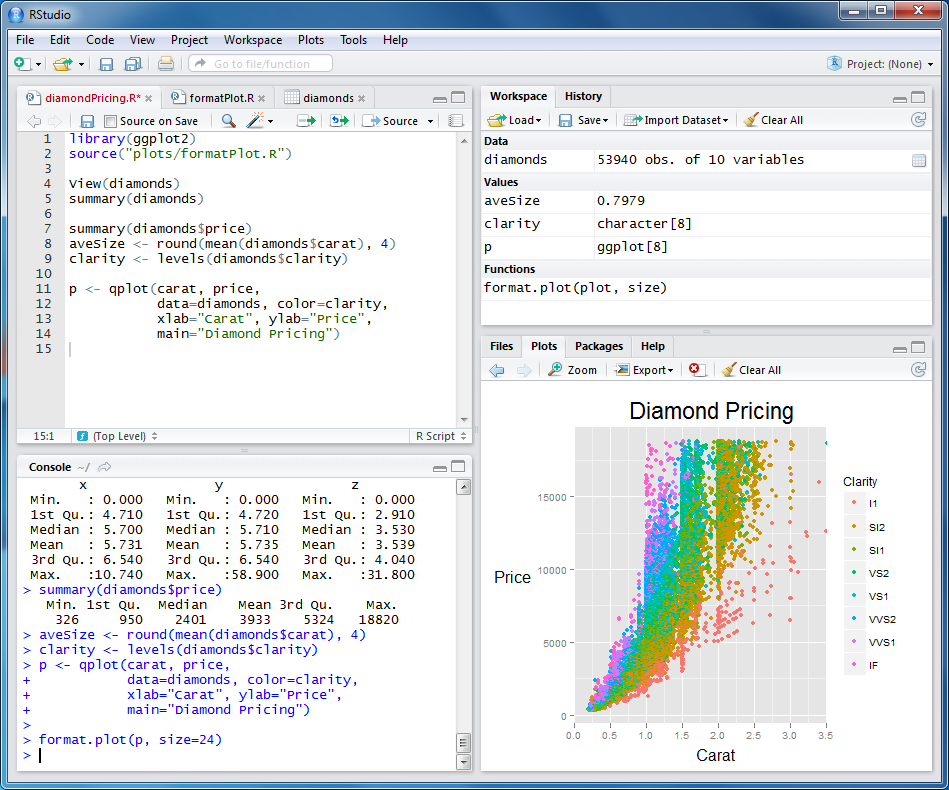
Three languages, one idea: a script
Shell (bash) |
R | Python | |
|---|---|---|---|
| File | script.sh |
script.R |
script.py |
| Shebang (line 1) | #!/bin/bash |
#!/usr/bin/env Rscript |
#!/usr/bin/env python3 |
| Run it | bash script.sh or ./script.sh |
Rscript script.R |
python3 script.py |
| Comments | # |
# |
# |
| Arguments | $1, $2, $@ |
commandArgs(trailingOnly = TRUE) |
sys.argv[1:] (or argparse) |
| Best at | gluing programs and files together | statistics, data frames, figures | general programming, images, ML |
Tip
Today is about shell scripts
L05 opens by rewriting today’s FASTA-statistics script in R and in Python
Lectures 05-07 go deep on both Python and R languages.
Shell scripts the mechanics (reminder)
- New today: arguments, conditionals, loops, functions and error handling the pieces that turn saved commands into real pipelines.
Command-Line Arguments
$0is the script’s own name,$#the number of arguments,$@all of them (always quoted:"$@")- Run as:
./process_fasta.sh chr21.fa results/chr21_headers.txt
Variables and strings
#!/bin/bash

# Variables (no spaces around =)
GENOME="chr21_subset.fa"
WINDOW=1000

# Use them with $ (quote to protect spaces)
echo "Analyzing $GENOME in windows of $WINDOW bp"

# Capture command output - the REAL bases (N's stripped, as on the pipes slide)
N_REAL=$(grep -v "^>" "$GENOME" | tr -d 'Nn\n' | wc -c)
echo "$GENOME has $N_REAL real bases"

# String operations on file names
NAME="${GENOME%.fa}"         # strip the suffix -> chr21_subset
echo "Writing results to ${NAME}_stats.txt"
Note
- Bash also has arrays (
BASES=(A C G T)) - You will rarely need them in this course; see Ch. 10 when you do.
Conditionals (if/then/else)
#!/bin/bash

# Numeric comparisons: how many REAL bases (N's stripped) in the subset?
N_REAL=$(grep -v "^>" chr21_subset.fa | tr -d 'Nn\n' | wc -c)
if [ "$N_REAL" -gt 500000 ]; then
    echo "Mostly real sequence: $N_REAL bases"
else
    echo "Mostly N's! Only $N_REAL real bases"
fi

# String comparisons: which kind of data is this?
FILETYPE="fasta"
if [ "$FILETYPE" = "fasta" ]; then
    echo "Sequence data - use the grep/tr pipelines"
fi

# File tests: don't repeat the download; make results/ if missing
if [ -f "chr21.fa.gz" ]; then
    echo "chr21 already downloaded"
fi

if [ -d "results" ]; then
    echo "results/ exists"
else
    mkdir results
fi
Tip
Always put spaces inside the brackets (
[ $x -gt 5 ]) and quote your variables ("$FILE")The full table of test operators is on the next slide.
Test operators for [ ]
| Operator | Meaning | Operator | Meaning |
|---|---|---|---|
-eq |
Equal (numbers) | = |
Strings are equal |
-ne |
Not equal (numbers) | != |
Strings differ |
-gt |
Greater than | -z |
String is empty |
-lt |
Less than | -f |
File exists |
-ge |
Greater than or equal | -d |
Directory exists |
-le |
Less than or equal | -s |
File exists, not empty |
Loops in Shell Scripts
#!/bin/bash

# For loop over a list: one grep per treatment group
for GROUP in convA convB monoA monoB; do
    echo "$GROUP: $(grep -cw "$GROUP" data/Stickle_RNAseq.tsv) fish"
done

# For loop over files: every FASTA we have made today
for FILE in *.fa; do
    echo "$FILE: $(grep -c '^>' "$FILE") sequence(s)"
done

# For loop with a counter: peek at gene columns 5, 6 and 7
for COL in 5 6 7; do
    cut -f "$COL" data/Stickle_RNAseq.tsv | head -1
done

# While loop: read the first three fish IDs line by line
tail -n +2 data/Stickle_RNAseq.tsv | cut -f 1 | head -n 3 | while read ID; do
    echo "Fish: $ID"
done
Functions in Scripts
A function packages one of today’s one-liners for reuse - here, the grep -cw group count from the trio section:
#!/bin/bash

# Define a function
count_group() {
    local FILE=$1 GROUP=$2          # Local variables
    local COUNT=$(grep -cw "$GROUP" "$FILE")
    echo "$COUNT"                   # "Return" a value by printing it
}
# Note: bash 'return' only carries an exit status (0-255), not data -
# so functions hand back results via echo, captured with $(...)
n=$(count_group data/Stickle_RNAseq.tsv convA)
echo "convA has $n fish"

# Another function with multiple parameters, reusing the first
group_report() {
    local INFILE=$1
    local OUTFILE=$2

    echo "Summarizing $INFILE..."
    for g in convA convB monoA monoB; do
        echo "$g: $(count_group "$INFILE" "$g") fish"
    done > "$OUTFILE"
}

# Call functions
group_report "data/Stickle_RNAseq.tsv" "results/group_counts.txt"
From one-liner to tool: gene_means.sh
The group-means
awkone-liner from the trio section works for Gene1 only.Wrapped in a script - argument check, strict mode, the same
awk- it becomes a tool for any gene:
#!/bin/bash
# gene_means.sh - mean count of one gene per treatment group
# Usage: ./gene_means.sh <gene column number>
set -euo pipefail
col=${1:?Give a gene column number, e.g. 5 for Gene1}
infile=results/stickle_clean.tsv

gene=$(head -n 1 "$infile" | cut -f "$col")
echo "Mean of $gene by group:"
awk -F'\t' -v c="$col" 'NR > 1 { sum[$4] += $c; n[$4]++ } END { for (g in sum) printf " %-6s %8.1f\n", g, sum[g]/n[g] }' "$infile"Script the worked example: fasta_stats.sh
The same for the genomic data:
The counting, N, GC and ORF-finding pipelines from the chr21 worked example
Wrapped with argument checks into one tool that runs on any FASTA file:
#!/bin/bash
# Script: fasta_stats.sh
# Purpose: Calculate basic statistics for FASTA files

# Check arguments
if [ $# -ne 1 ]; then
    echo "Usage: $0 sequences.fasta"
    exit 1
fi

INPUT=$1

# Check if file exists
if [ ! -f "$INPUT" ]; then
    echo "Error: File $INPUT not found!"
    exit 1
fi

echo "=== FASTA Statistics for $INPUT ==="

# Count sequences
SEQ_COUNT=$(grep -c "^>" "$INPUT")
echo "Number of sequences: $SEQ_COUNT"

# Calculate total length
TOTAL_LENGTH=$(grep -v "^>" "$INPUT" | tr -d '\n' | wc -c)
echo "Total length: $TOTAL_LENGTH bp"

# Average length
AVG_LENGTH=$((TOTAL_LENGTH / SEQ_COUNT))
echo "Average length: $AVG_LENGTH bp"

# Count the N's (unassembled gaps)
N_COUNT=$(grep -v "^>" "$INPUT" | tr -cd 'Nn' | wc -c)
echo "N bases: $N_COUNT"

# GC content
GC_COUNT=$(grep -v "^>" "$INPUT" | tr 'acgt' 'ACGT' | tr -d '\n' | grep -o "[GC]" | wc -l)
GC_PERCENT=$((GC_COUNT * 100 / TOTAL_LENGTH))
echo "GC content: $GC_PERCENT%"

# ORF-like stretches: uppercase-only pattern - the soft-masking does the filtering
ORF_COUNT=$(grep -v "^>" "$INPUT" | tr -d '\n' | grep -oE "ATG([ACGT]{3}){20,}(TAA|TAG|TGA)" | wc -l)
echo "ORF-like stretches: $ORF_COUNT"Note
Next week (L05) returns to this script at the end - rewritten in R and in Python, once you have the syntax to read them
Same logic, friendlier arithmetic and syntax.
Best Practices for Scripts
- Always include a shebang:
#!/bin/bash - Comment your code: Explain what and why
- Use meaningful variable names:
GENE_COUNTnotGC - Check inputs: Validate files exist and arguments are correct
- Handle errors gracefully: Use
set -eand error checking - Make scripts portable: Don’t hardcode paths
- Use version control: Track changes with git
- Test incrementally: Build scripts step by step
- Create help messages: Document usage
- Log important steps: Keep records of what was done
BioE Computational Tools 2026 - Knight Campus